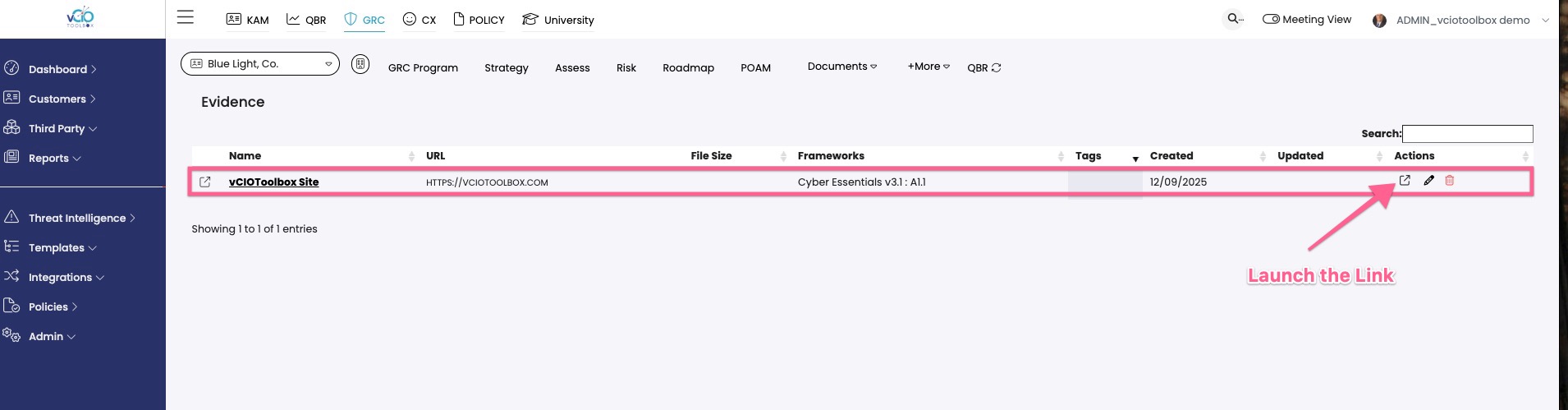
In addition to uploading objects to evidence within vCIOToolbox and the Cybrance GRC module, you can link to external resources. This allows you to support external libraries such as SharePoint, Google Drive, IT Glue, and other systems where the client may prefer evidence data to be maintained.
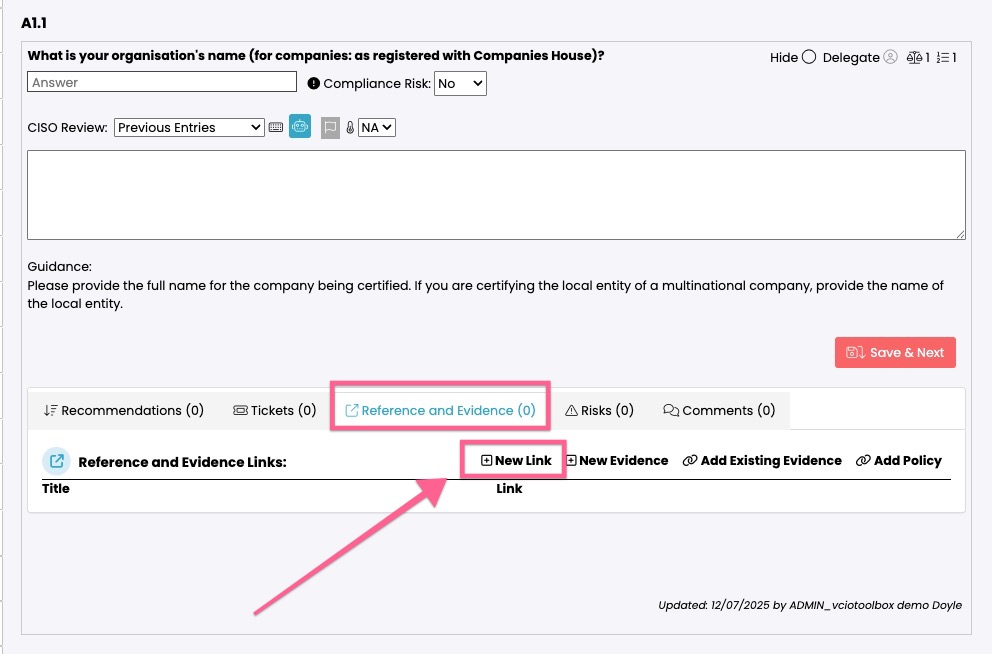
1. To use a link, you will need to be within the assessment and the control where you wish to link evidence. From the Reference and Evidence Tab, choose New Link.
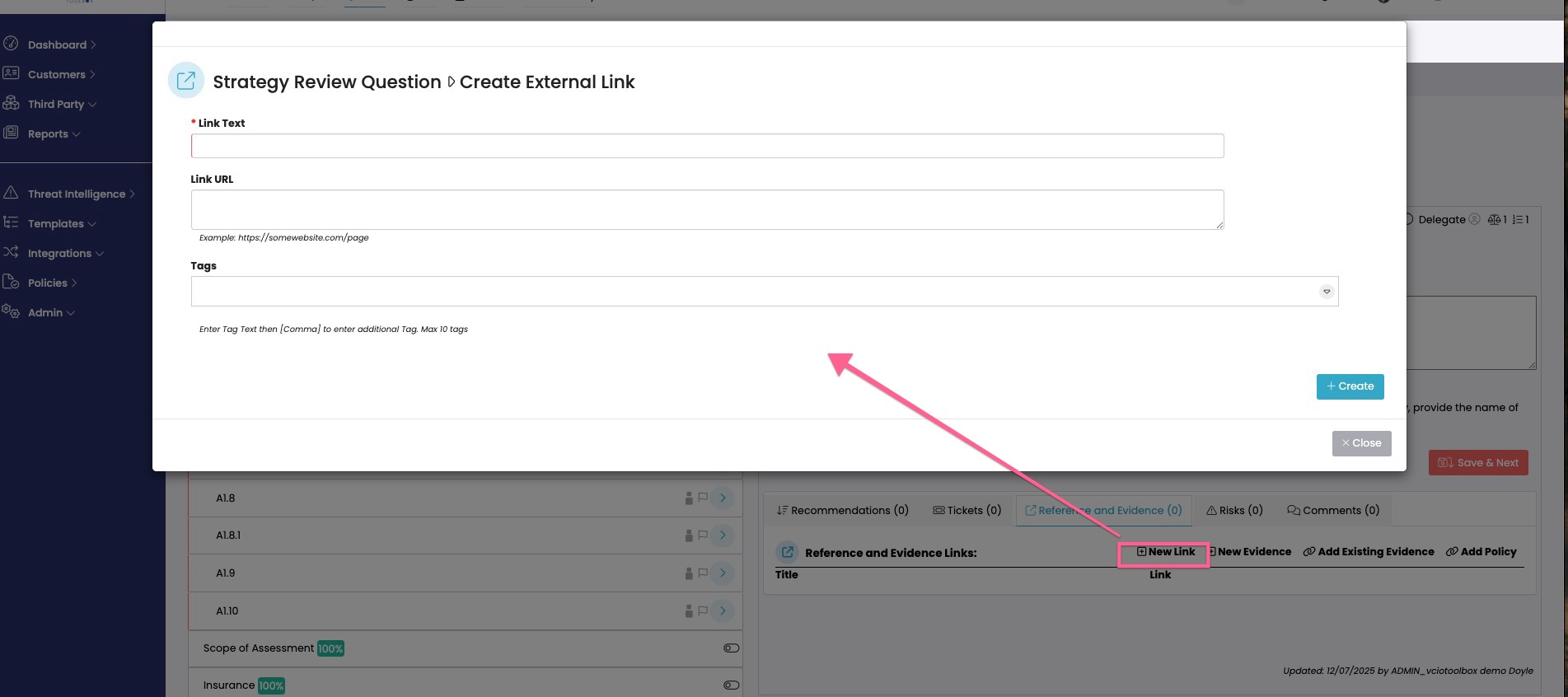
2. This will open a dialog box. Inside this box, you can add the title, link, and tags (optional).
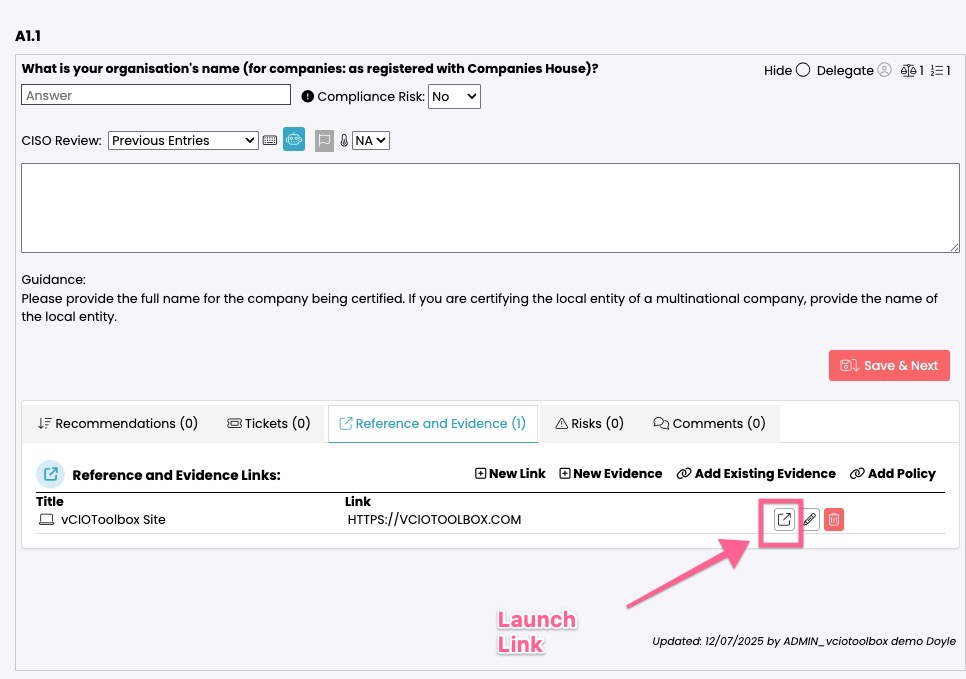
3. The link will then be aligned with the control, and you can launch the link in a new window to inspect.
4. This step also catalogs the link within the evidence library. Navigate to Documents > Evidence, and you should see your link in the evidence list, and it will also show the aligned control. You can launch the link in a new window.