
To use Fusion 360, you will need to attach your automations to the controls that align with each automation in your framework templates. Once attached, you will be able to use Fusion 360 to answer those questions using interpreted data from the integrations you set up.
Fusion 360 will then assess those questions, provide suggestions that can be converted into tickets or recommendations, and pre-fill your assessment with those responses.
The current vCIOToolbox templates that have automations available to them are as follows:
- Network and Infrastructure
- Servers
- Workstations
- Cyber and Risk
- Microsoft
To align an automation to a template, please follow the steps below.
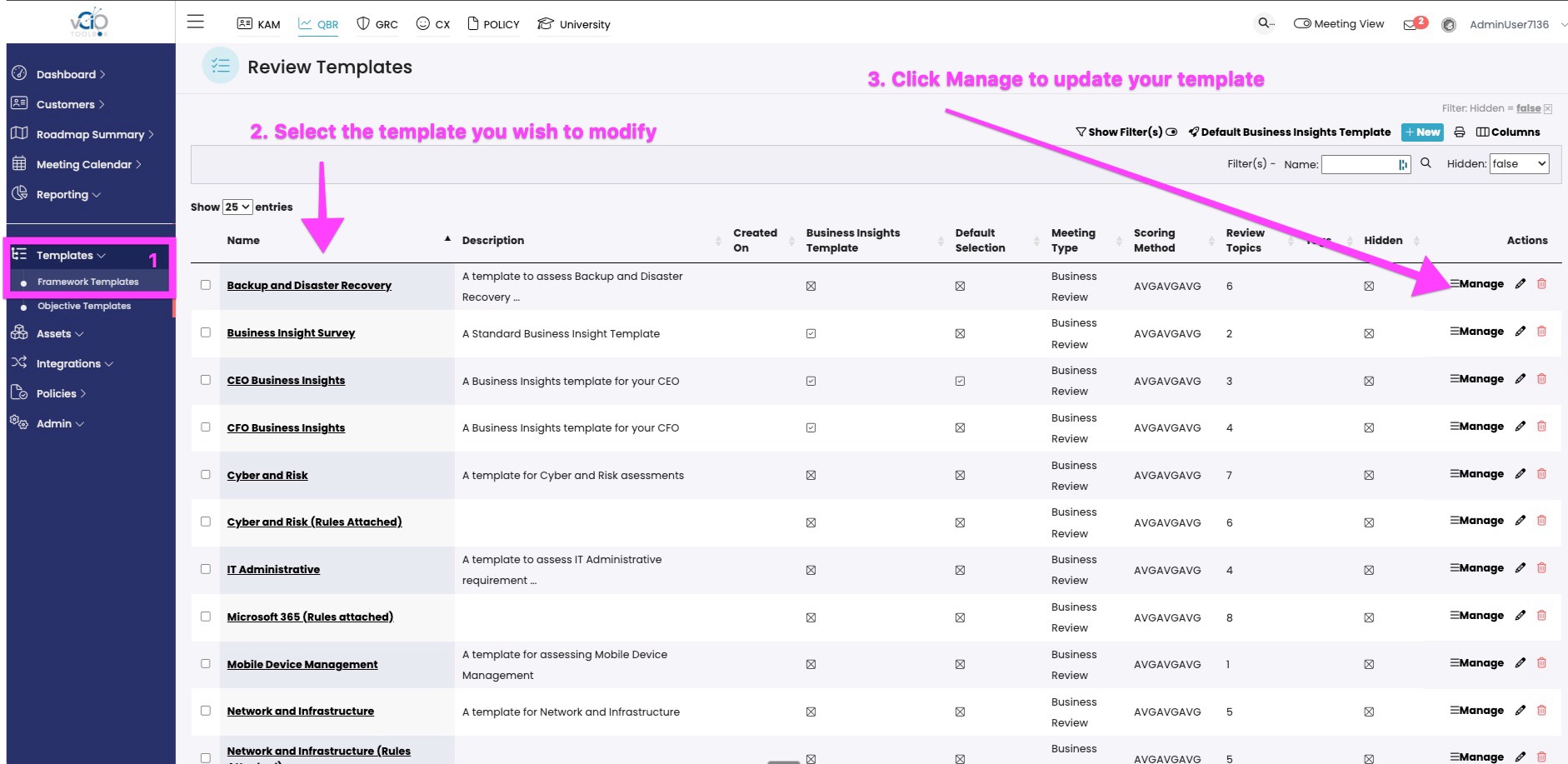
1. Navigate to your QBR Framworks QBR Module > Templates > Framework Templates > [Template Name]. Select the template and click Manage to enter the template editor.
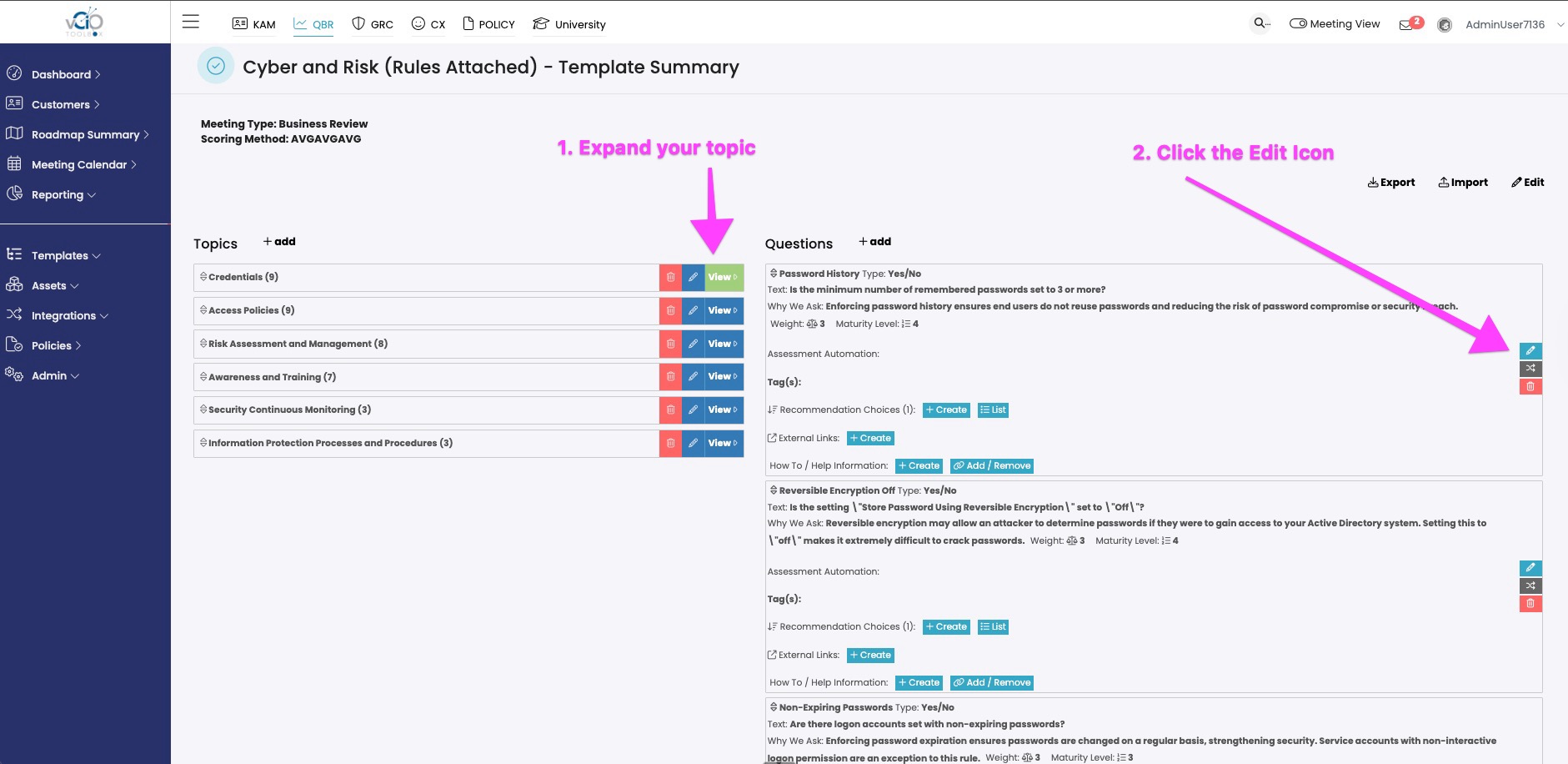
2. In the template editor, exapand the Topic you wish to edit and then edit the question that you want to attch the automation rule.
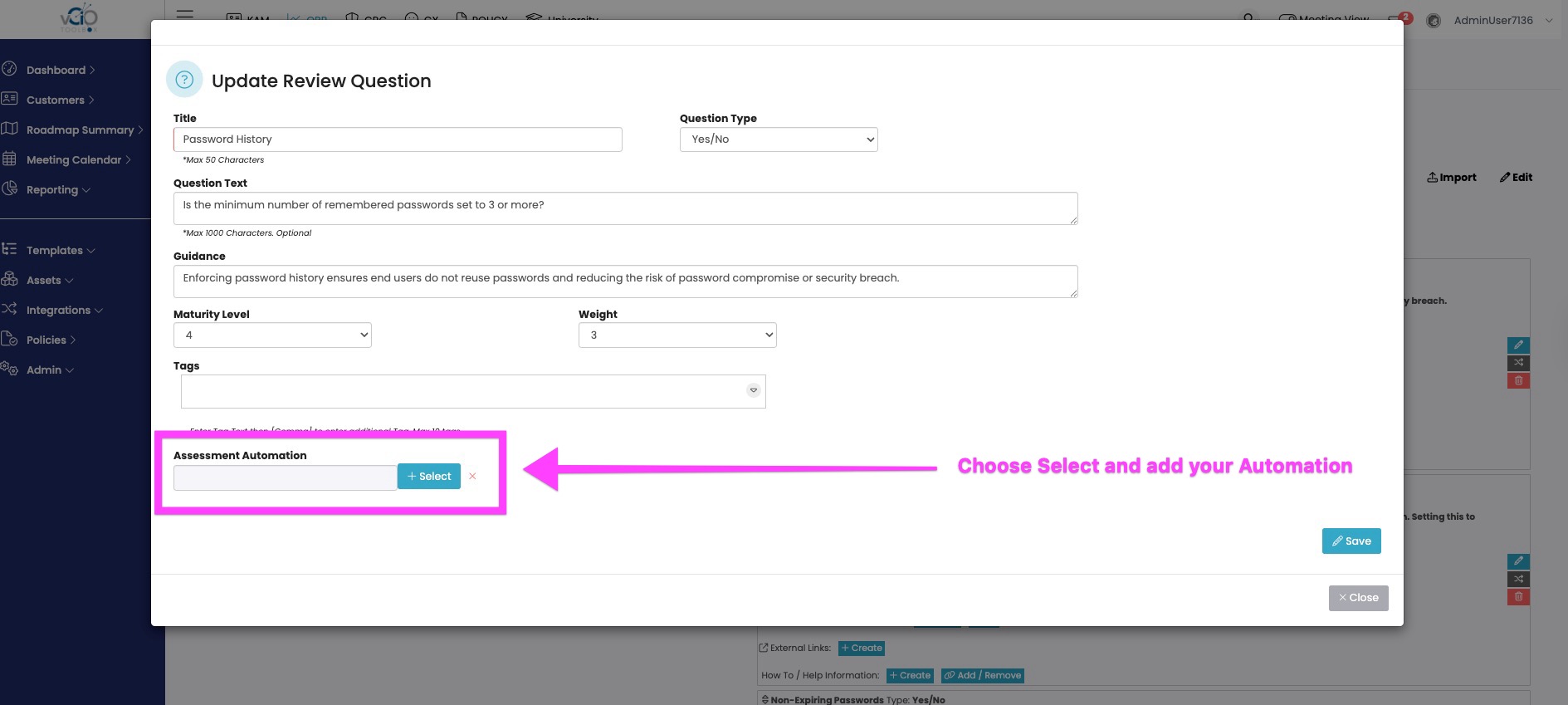
3. Inside the question editor, you will see the Assessment Automation command down at the bottom. Click "Select" to go into the automation catalog.
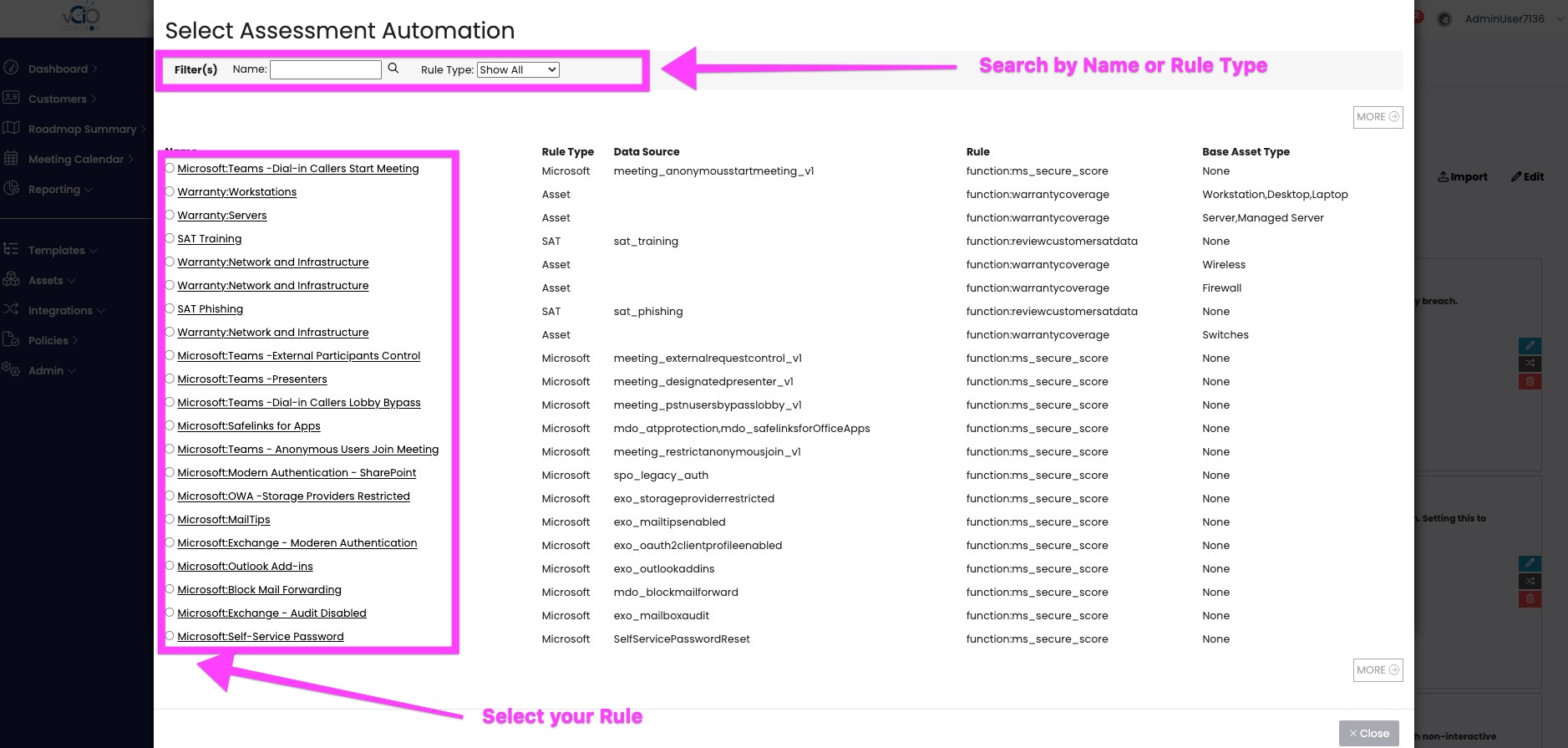
4. You can search for an automation rule by name or type. Once identifed, select the rule to add it to the assessment control.
If you have any questions or need additional assistance, please reach out to support@vciotoolbox.com or your Partner Success manager.