
Fusion 360 is an AI-enhanced automation engine that allows you to significantly reduce the time it takes to prepare for a QBR. The quick assessment allows you to answer questions that are aligned with automated rules and keep them up to date very easily by rerunning the script sync command.
The directions below will show you how to run the assessment and interpret the findings.
Note: If you are an existing customer, you must first attach your automation rules to your templates before you can use Fusion 360. Follow this link for instructions.
Setup your Framework Templates for Fusin 360
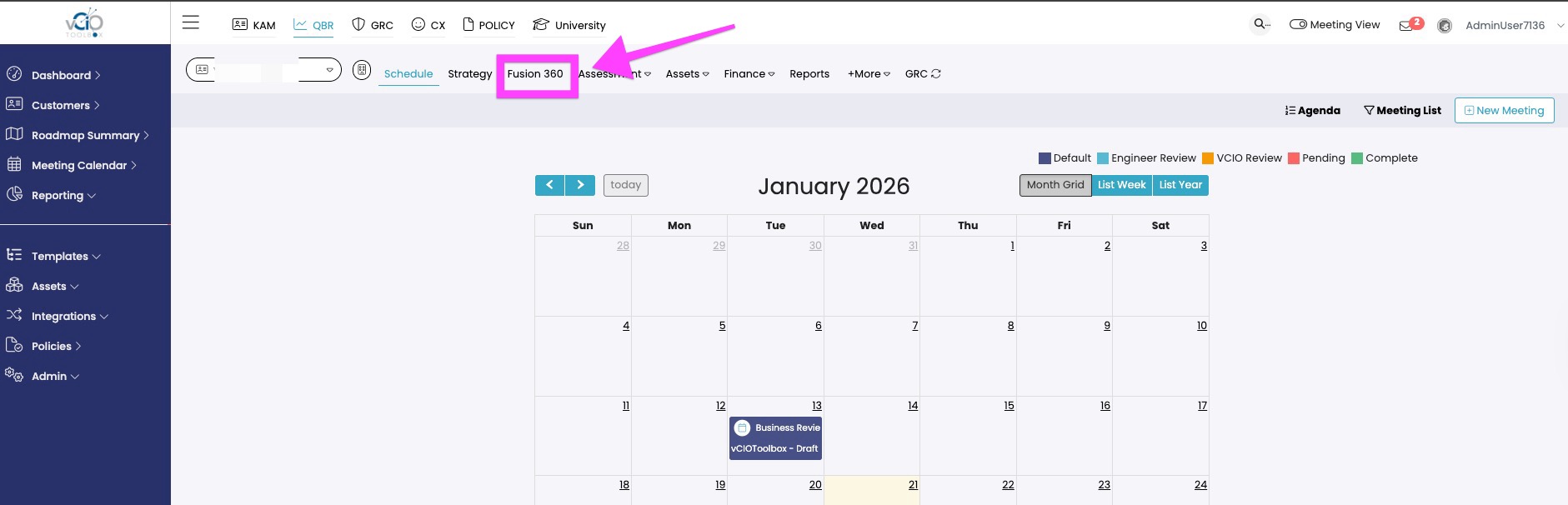
1. Inside the customer, within the QBR workspace, you will navigate to the Fusion 360 tab.
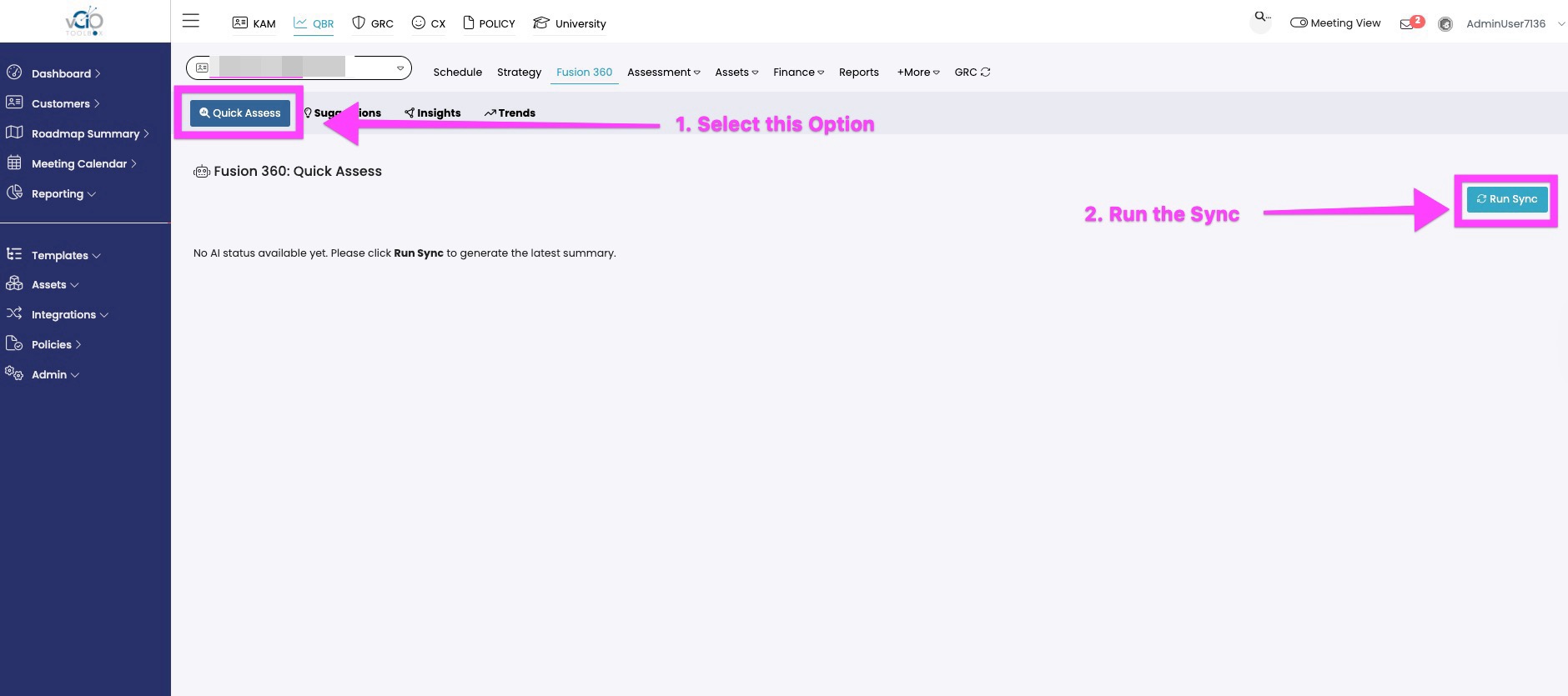
2. Inside Fusion 360, you will see a command entitled Quick Assess. Choose that option. Once inside the Quick Assess workspace click Run Sync.
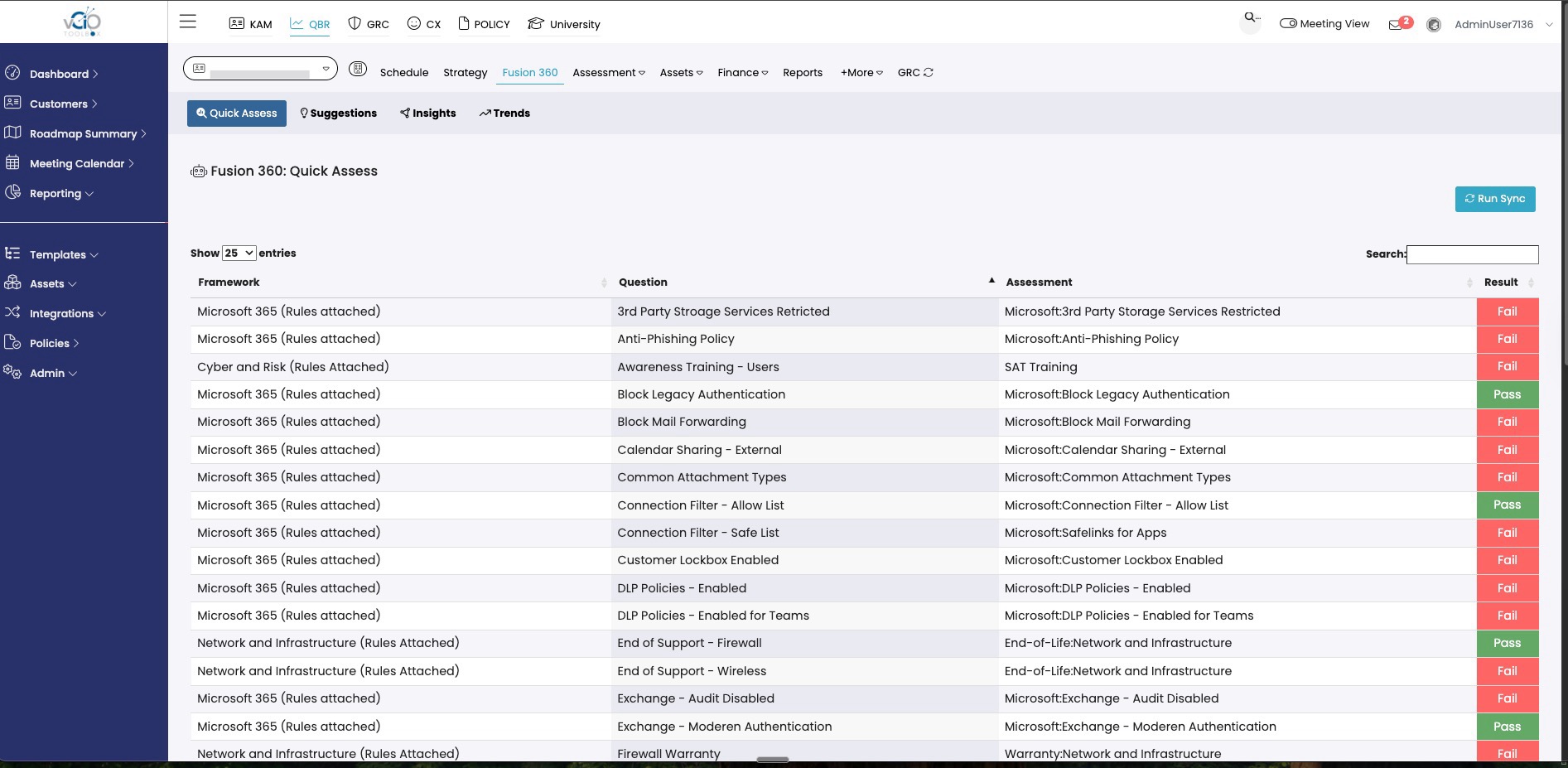
3. Fusion 360 will then conduct an assessment, analyzing data from your integrations, and presenting the results.
If you have any questions about running the quick assess command, please reach out to support@VCIOtoolbox.com or your Partner Success manager.