
Fusion 360, our AI-enhanced automation engine, provides a quick assessment, and from that assessment, a findings report generates suggestions that the user can leverage with a single click into recommendations for your roadmap or tickets for your PSA.
The steps below will show you how to create each element.
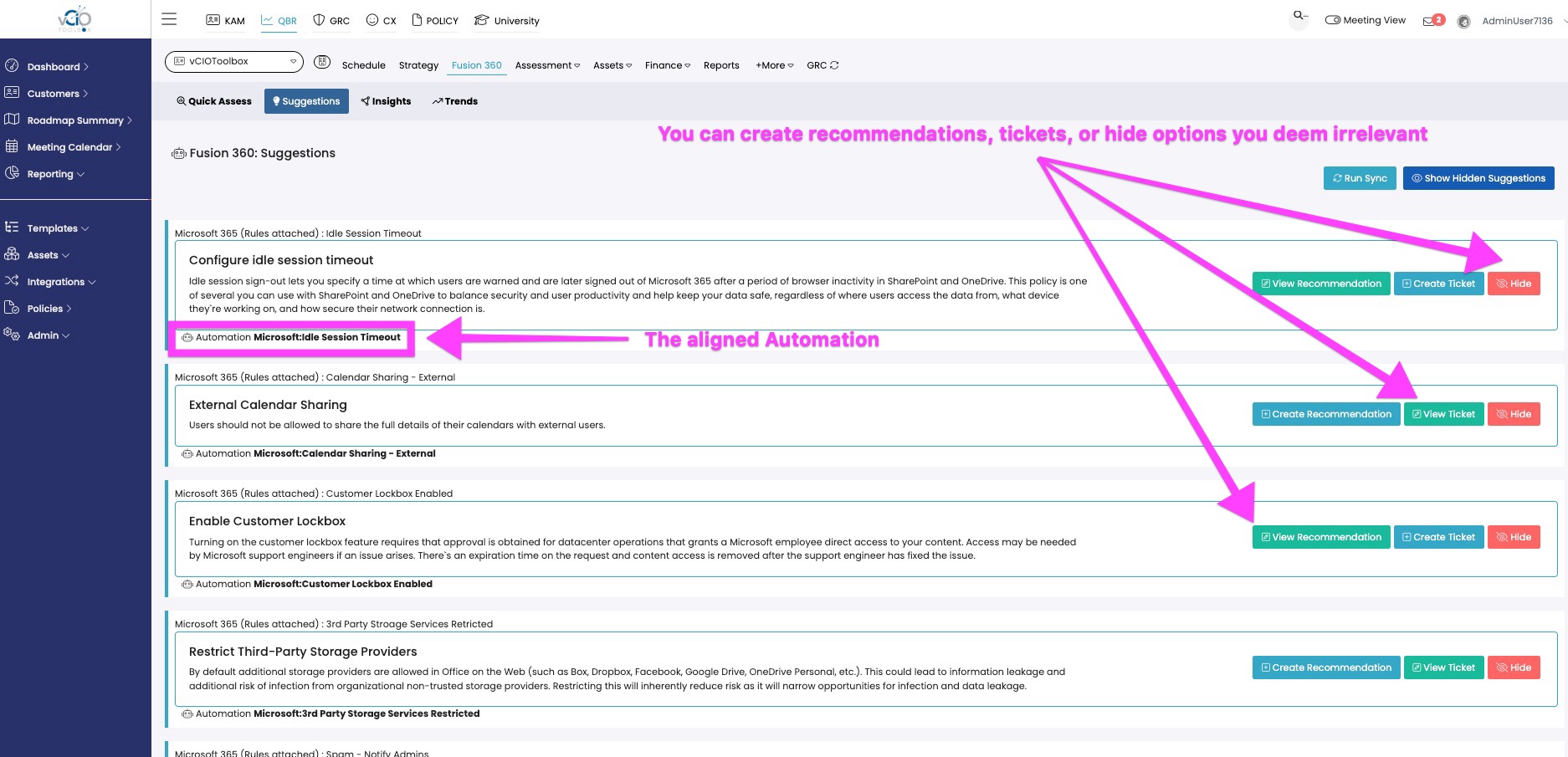
1. From within the customer workspace, you will see the Fusion 360 tab. Once clicked, a sub-menu will appear with a command labeled "Suggestions." After you run your quick assessment, you will see the suggestions listed as shown in the image below.
2. Each recommendation will present the aligned autmation information for context and give you the following options:
- Create a Recommendation that will align to your associated control and populate the roadmap.
- Create a Ticket that will flow into your PSA so it can be worked.
- Hide the suggestion if you deem it is irrelevant.
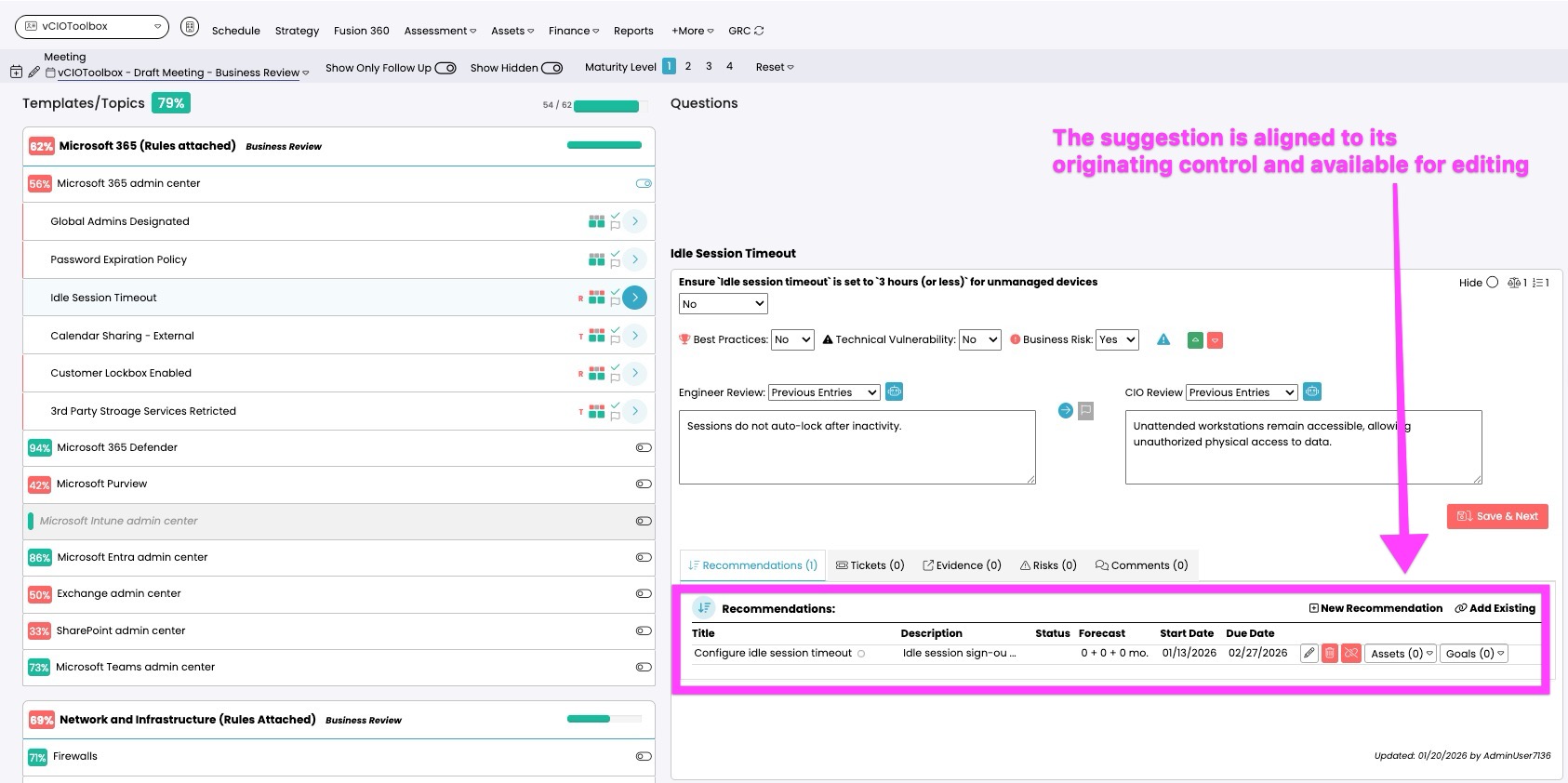
3. The suggestion will be aligned to the control, and now your team can update the properties (dates, budget, priority, etc.).
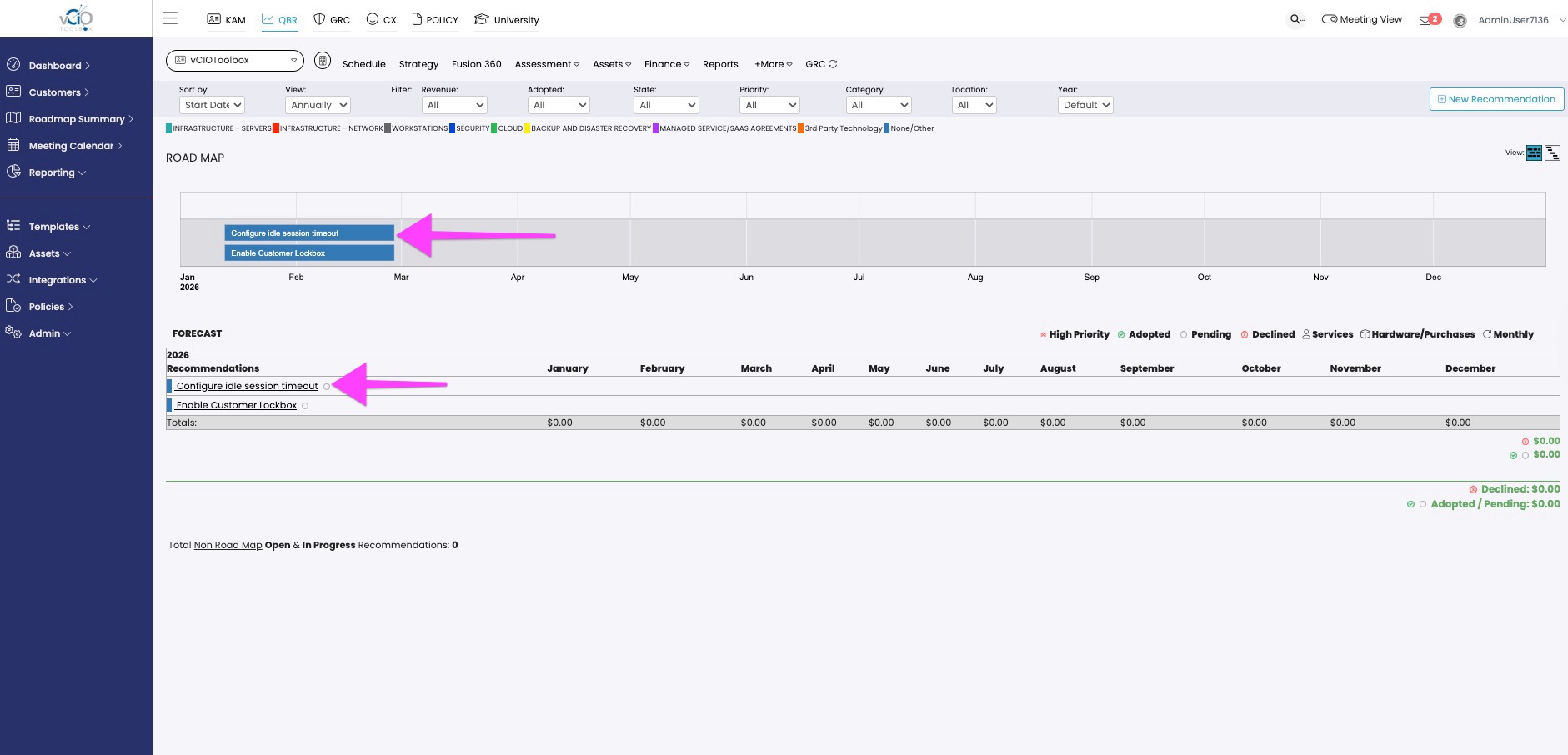
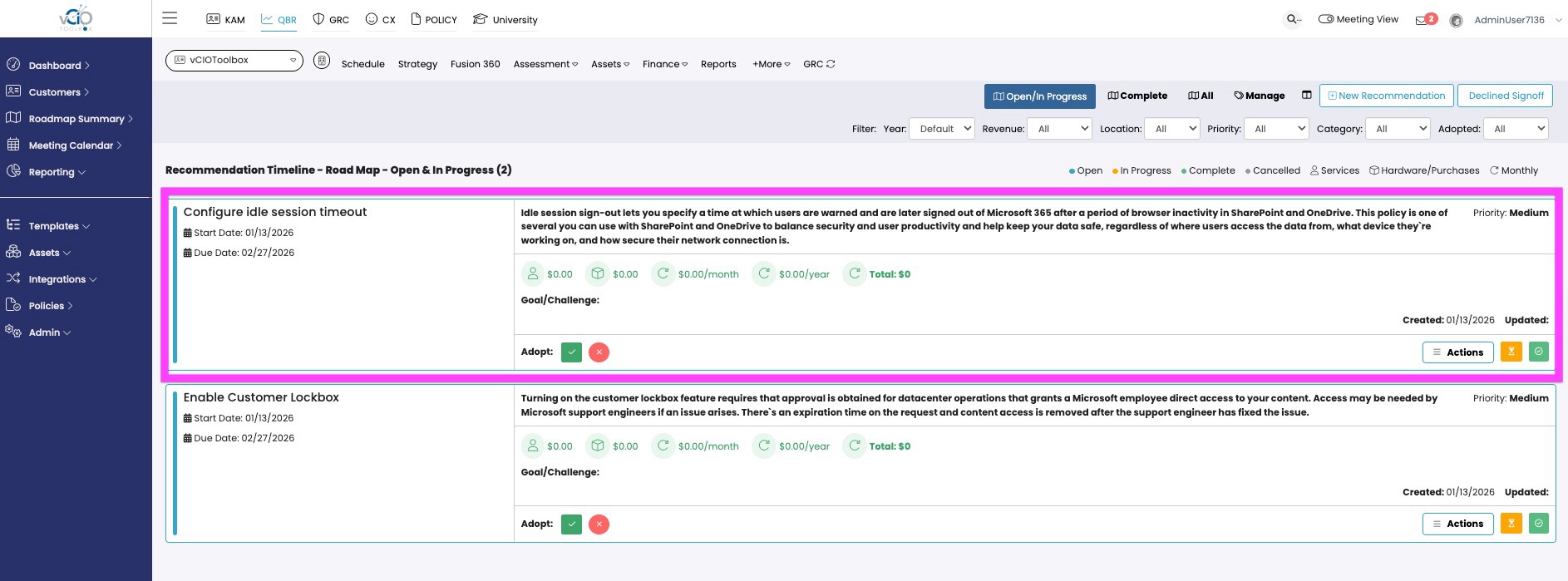
4. The image below shows the same suggestion now as part of the roadmap and the second image shows it within the recommendations.
Roadmap
Recommendations
if you have any questions about the instructions above, please reach out to support@VCIOtoolbox.com.