
It is not uncommon during a trial period, a customer might set up a client manually and later want to merge it with the PSA customer once they come on board and connect their integrations.
This is a very easy process inside of vCIOToolbox .
1. Connect your PSA integration and Sync Companies.
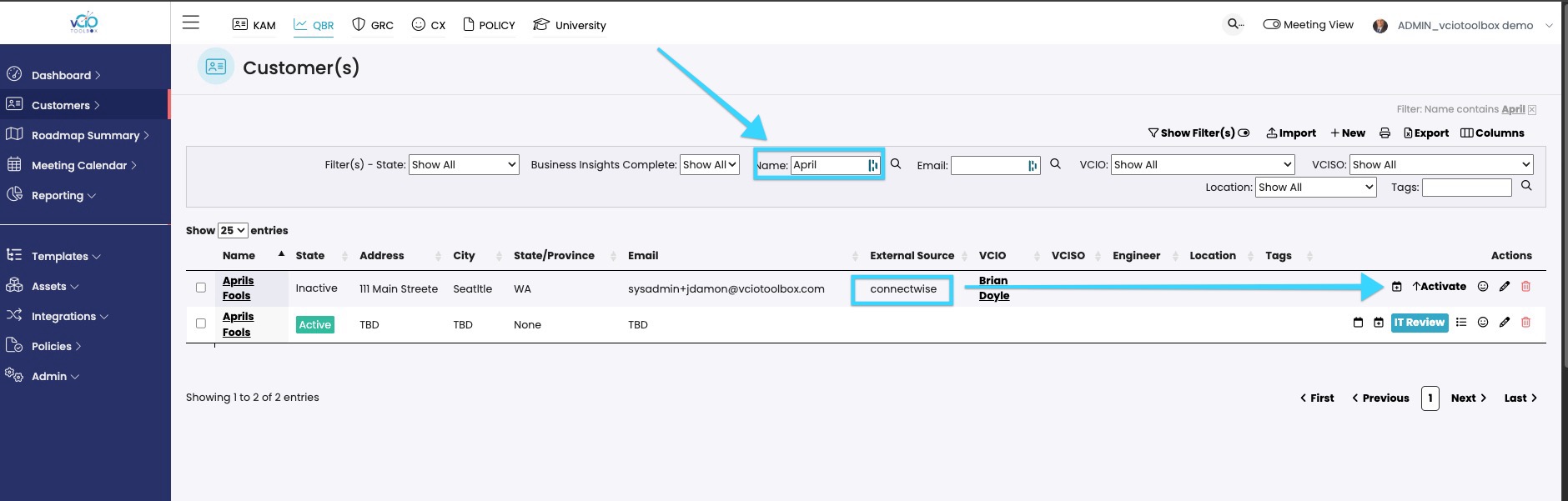
2. Search for the customer that you want to merge with your manual record.
3. Once you identify the customer, activate the PSA-connected record. You will now have two active records for that same customer.
4. Once both records are active (ensure the names are EXACT) you can navigate to Admin > Cusotmer PSA Merge and you can then merge the records.
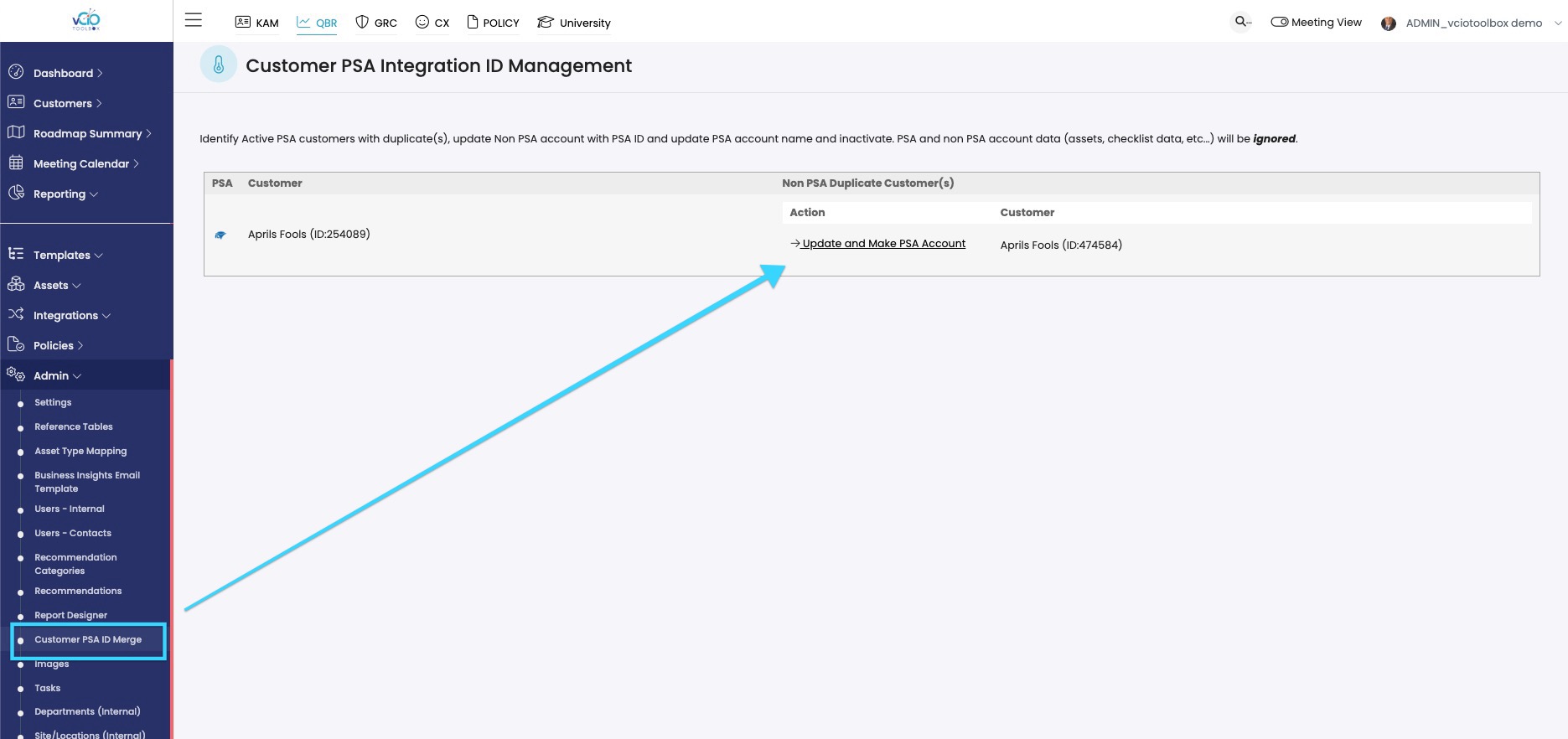
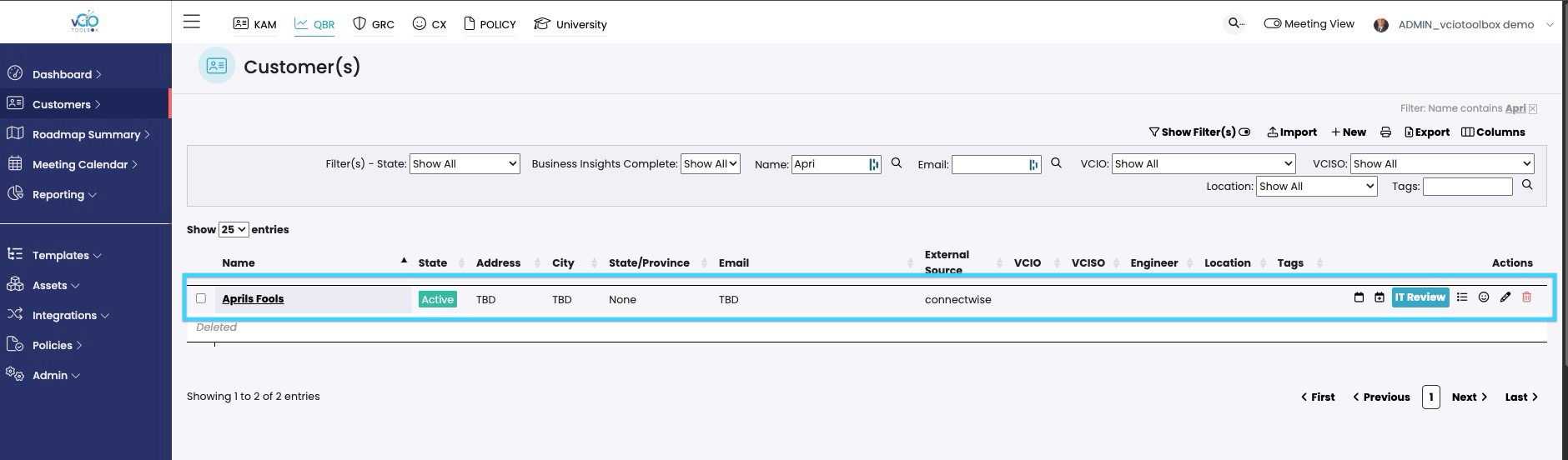
The data in the manually created record will now merge with the PSA-connected record, which will take over as the primary record.
If you have any other questions, please reach out to support@VCIOtoolbox.com.