
Occasionally, you'll want to archive a template without losing the history tied to it. Inside vCIOToolbox, you can hide any template, keeping it connected to any open assessments while still allowing it to be used. But ensuring that users cannot select that template going forward for new assessments.
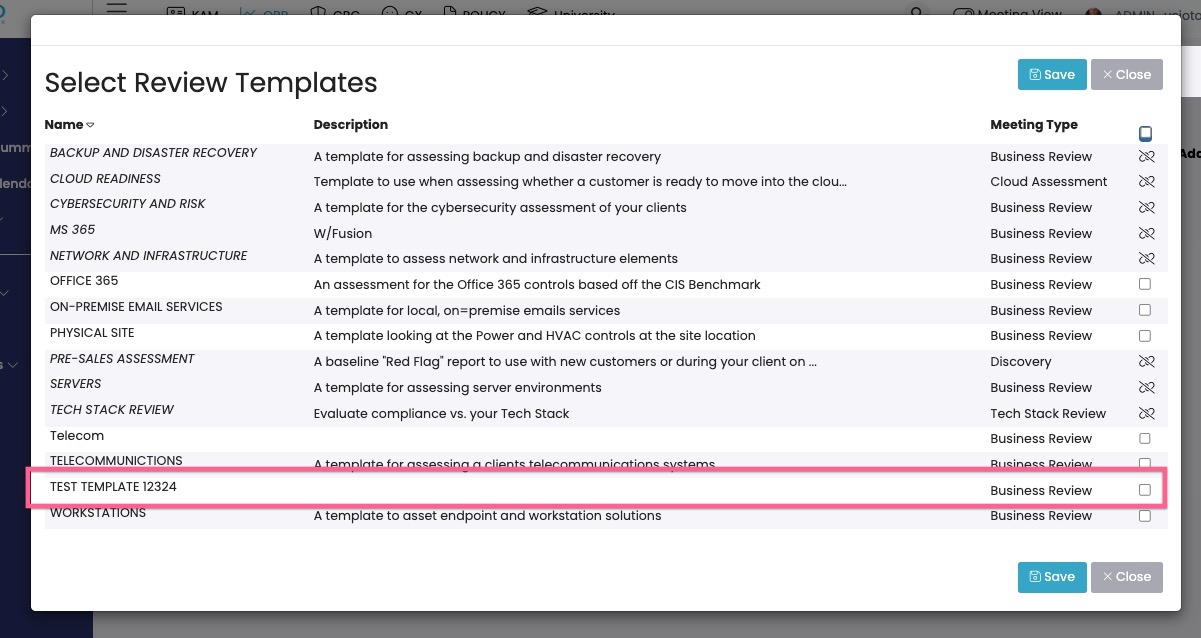
1. You will see my Test assessment list amongst my active templates
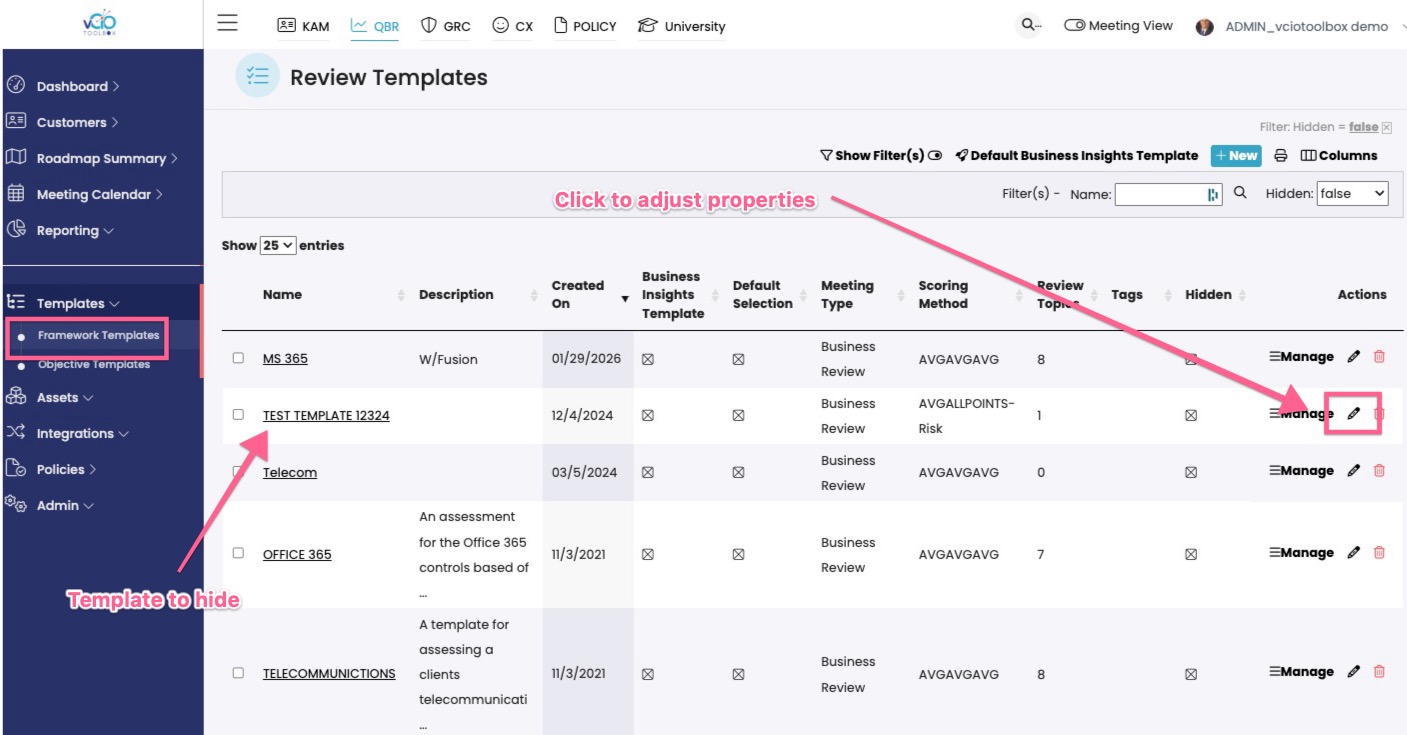
2. To archive and hide the template, please navigate to the left-hand menu and choose Frameworks. Navigate to the template that you wish to hide and click on the edit icon.
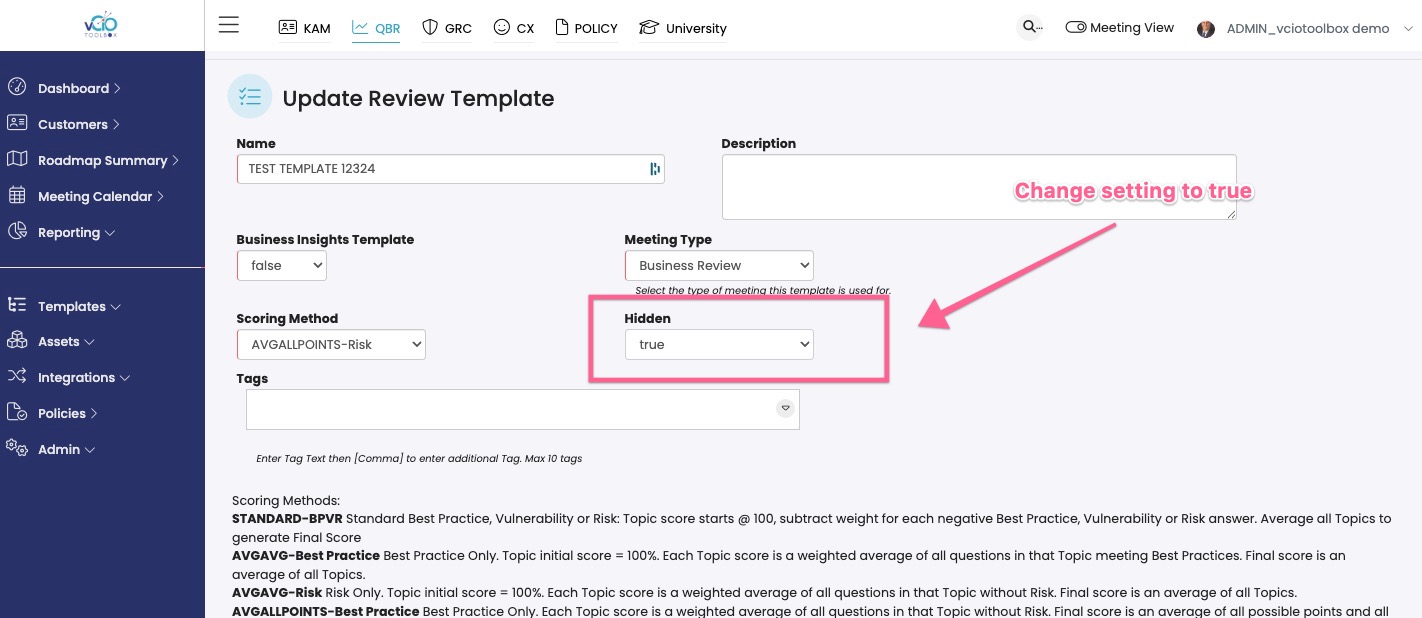
3. Change the Hidden status to True to hide the template from user selection.
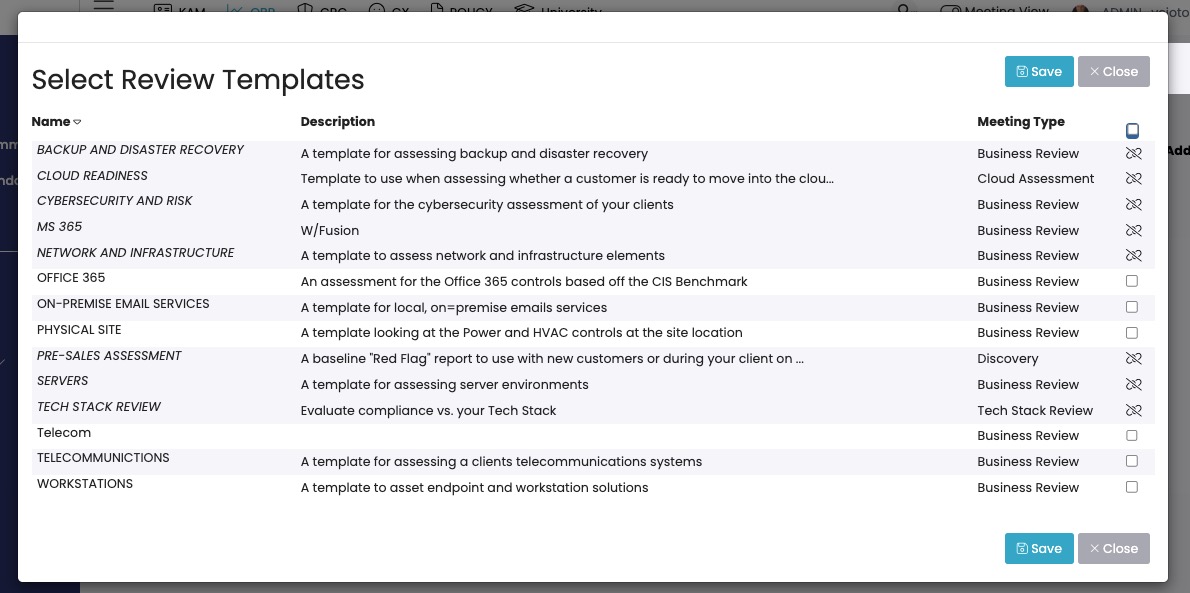
4. You will see the template if it is no longer available for selection.
If you have any questions, please reach out to support@vciotoolbox.com.