
At the end of a QBR, you can send a declined recommendation report for your customer to sign off on. This report will drive and require them to e-sign on the document. They will then receive a copy, and a copy will be stored in your system as well.
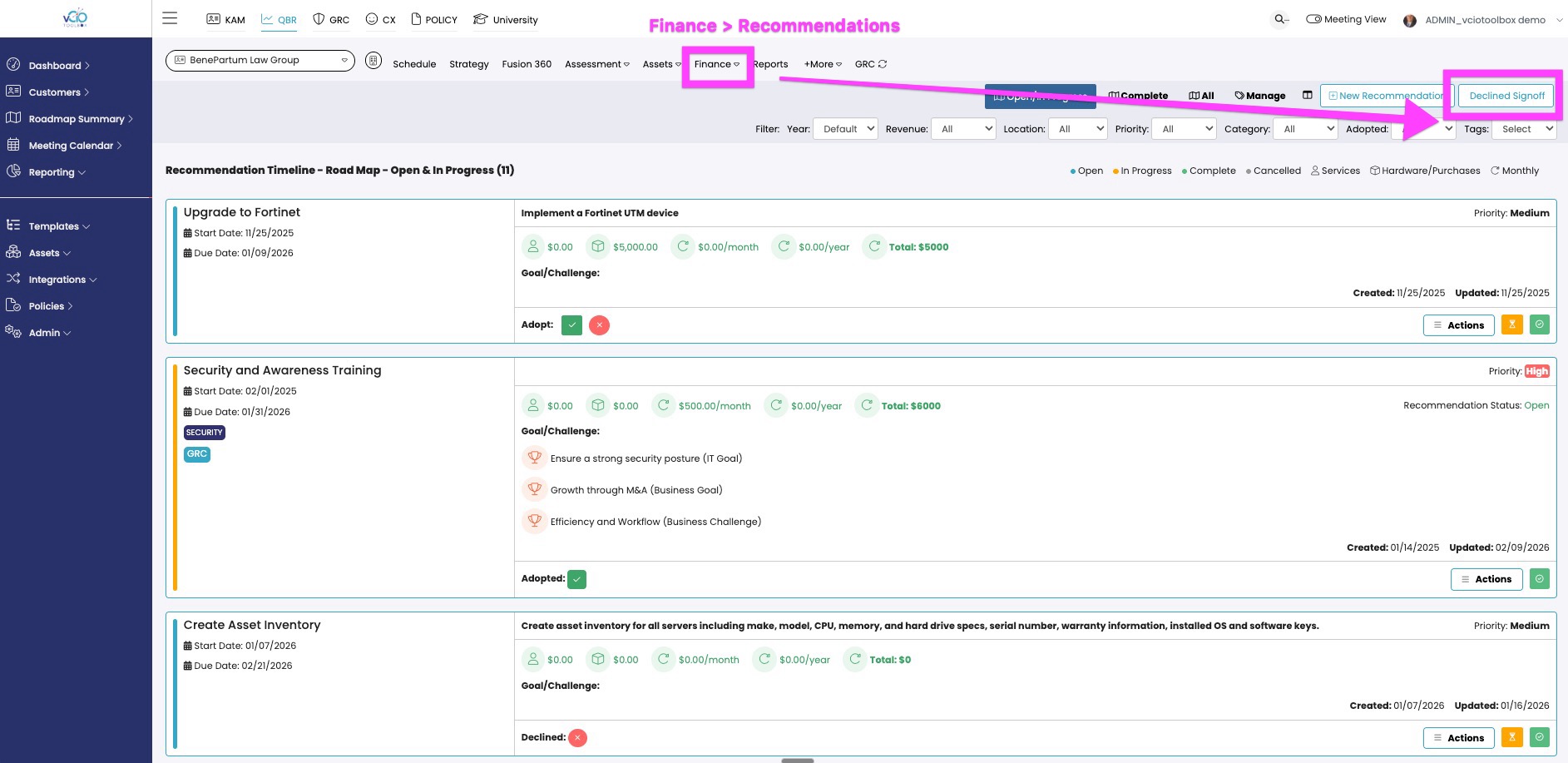
1. When a customer declines a recommendation, it will go into that period's declined recommendations inventory, which can be viewed before you send the declined recommendation report. To access that report, please navigate to the upper right-hand corner within Recommendations.
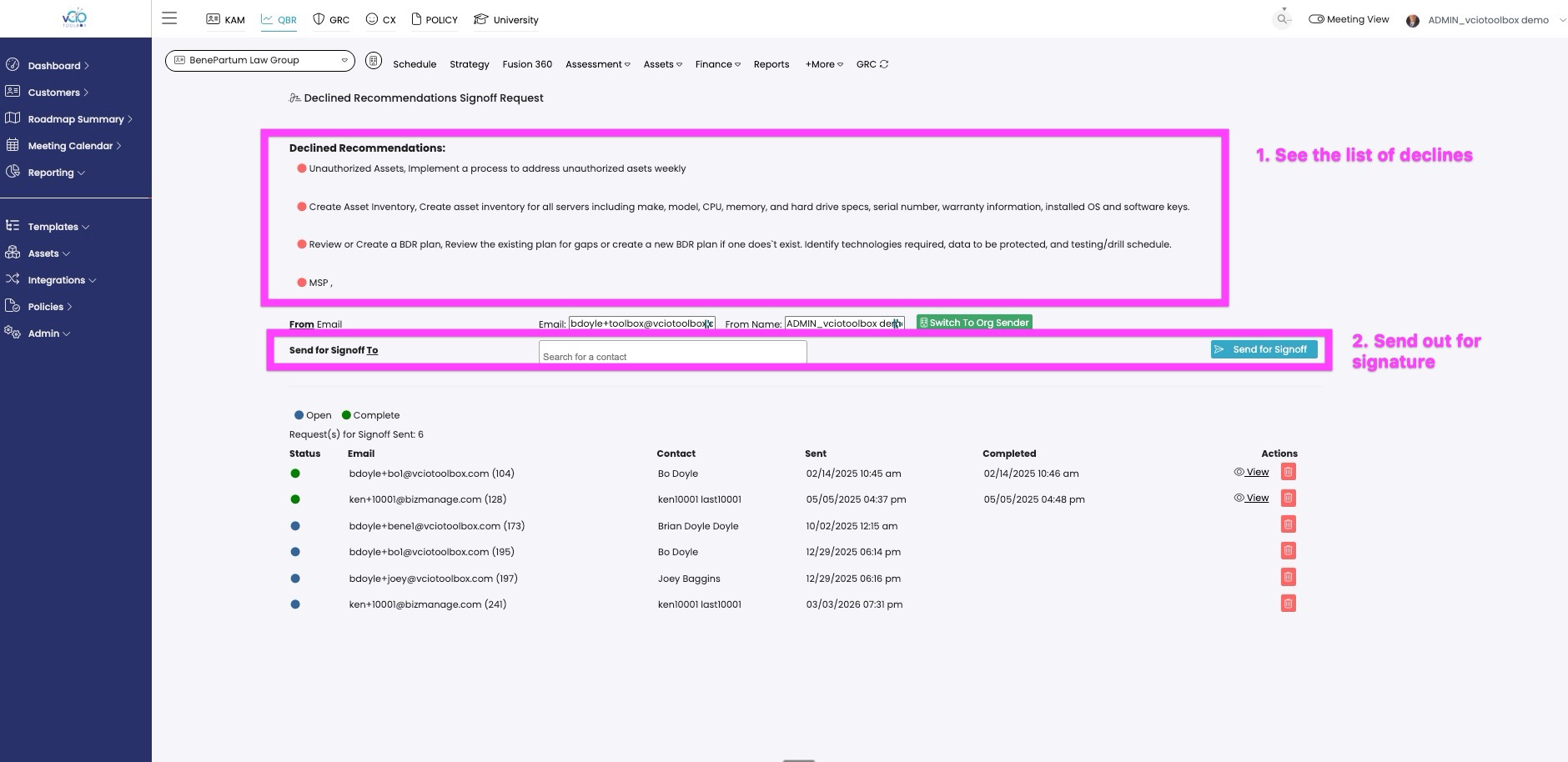
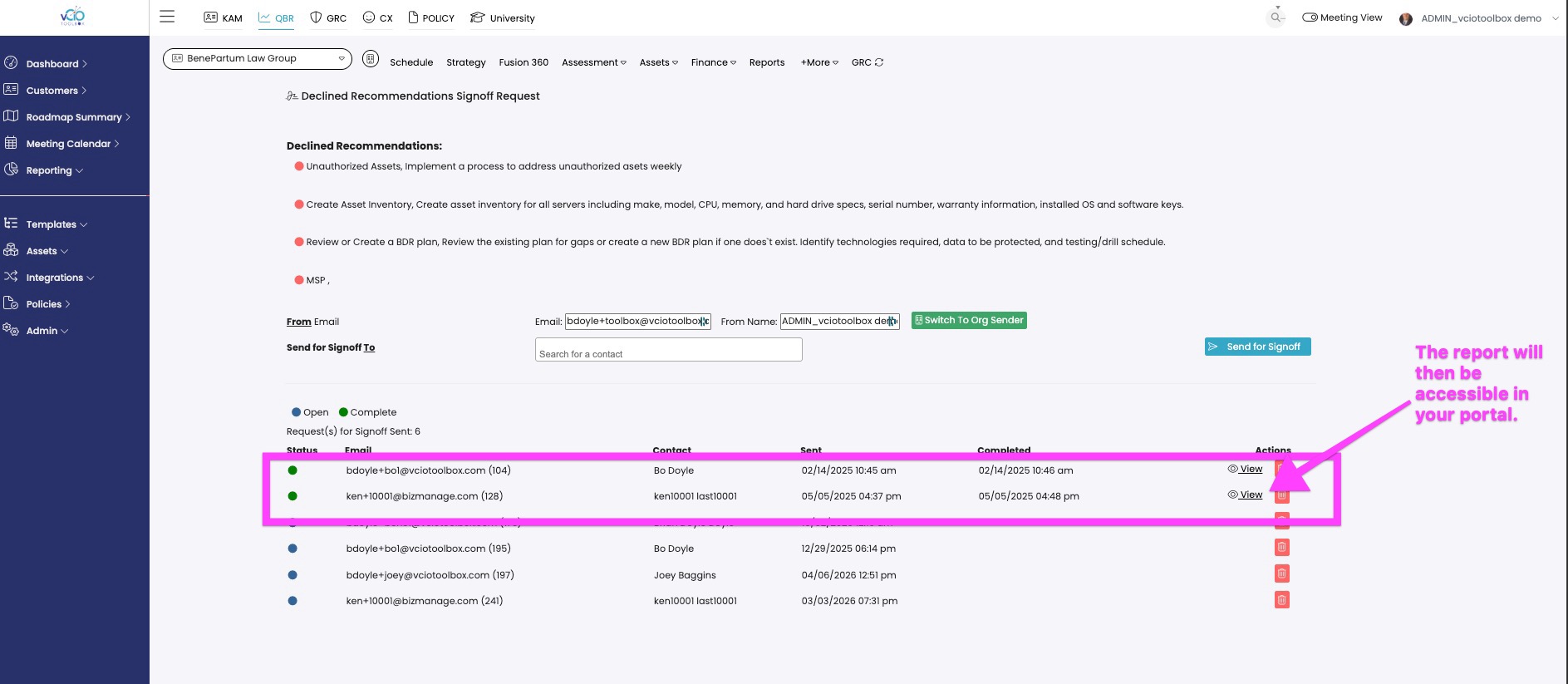
2. You will then see the declined recommendations in your list. You can then select the user that you wish to send the report to for attestation.
3. The customer will receive an email and can access and e-sign the declined report.
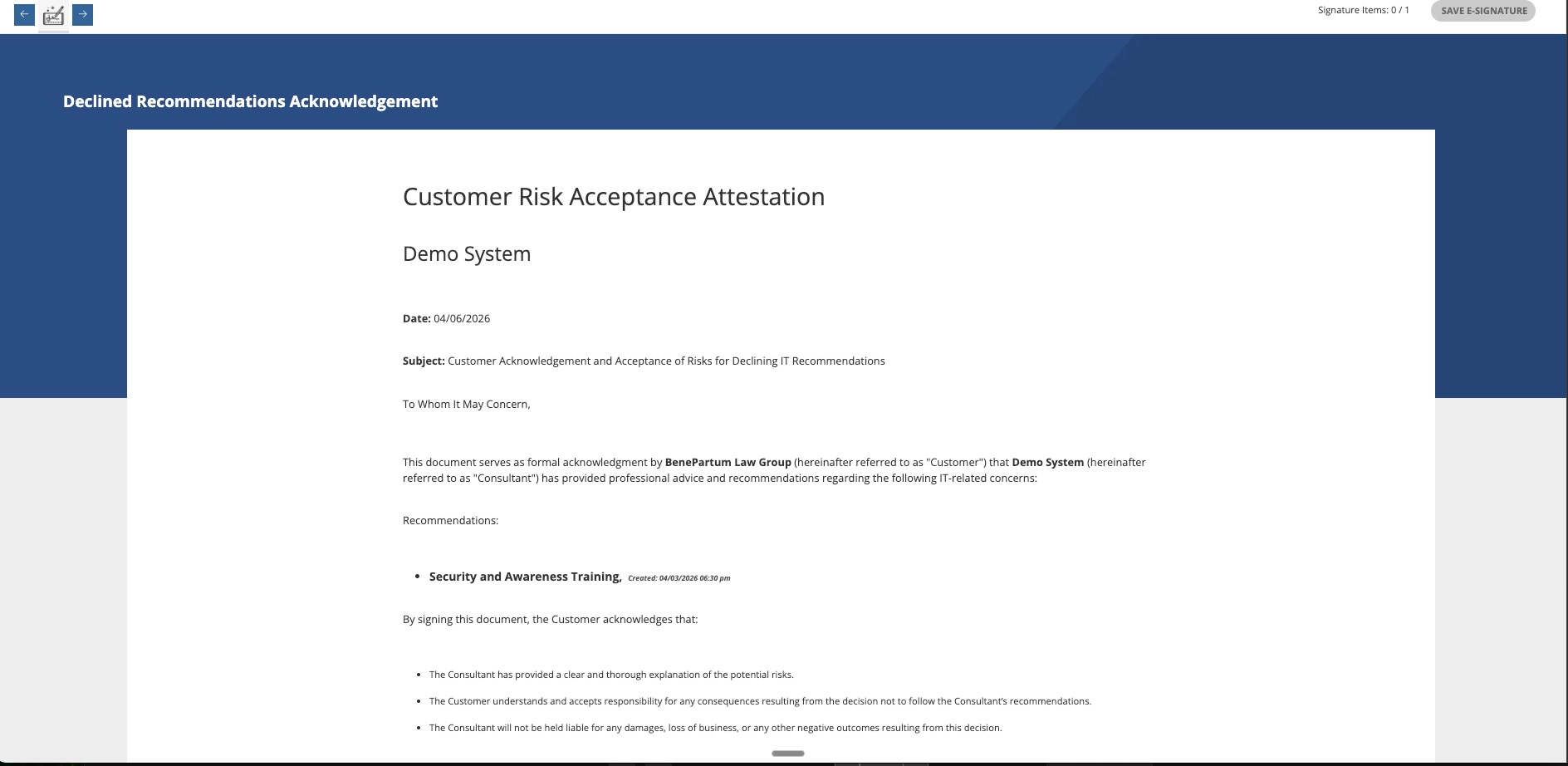
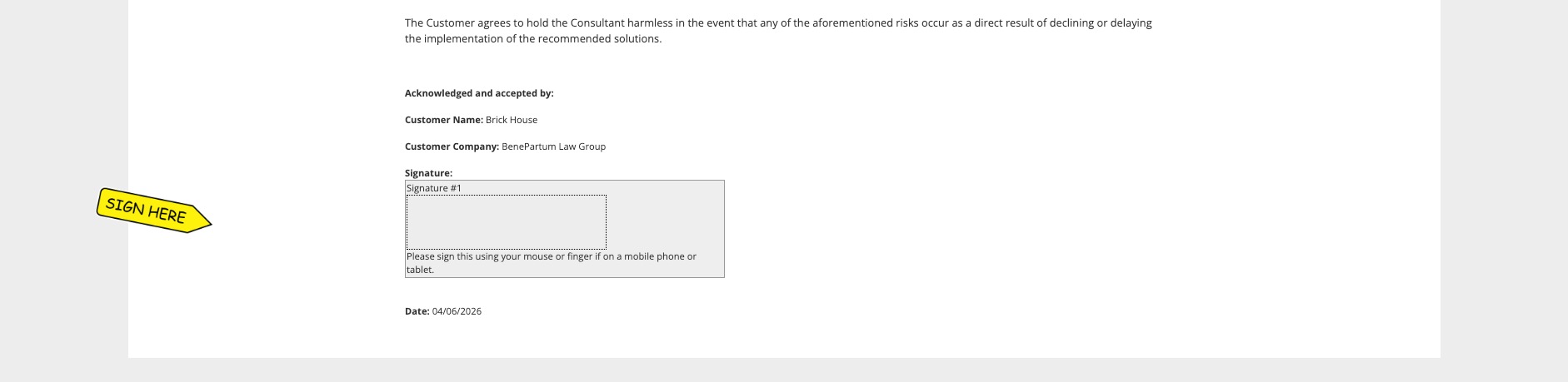
They will be sent a final copy upon signature and a report will be stored in vCIOToolbox.
4. You can then access the completed report from that portal.
If you have any additional questions, please send them to support@vciotoolbox.com.