
To help create recommendations during the QBR and GRC assessments, we have now added the ability to import your service catalogs from your PSA.
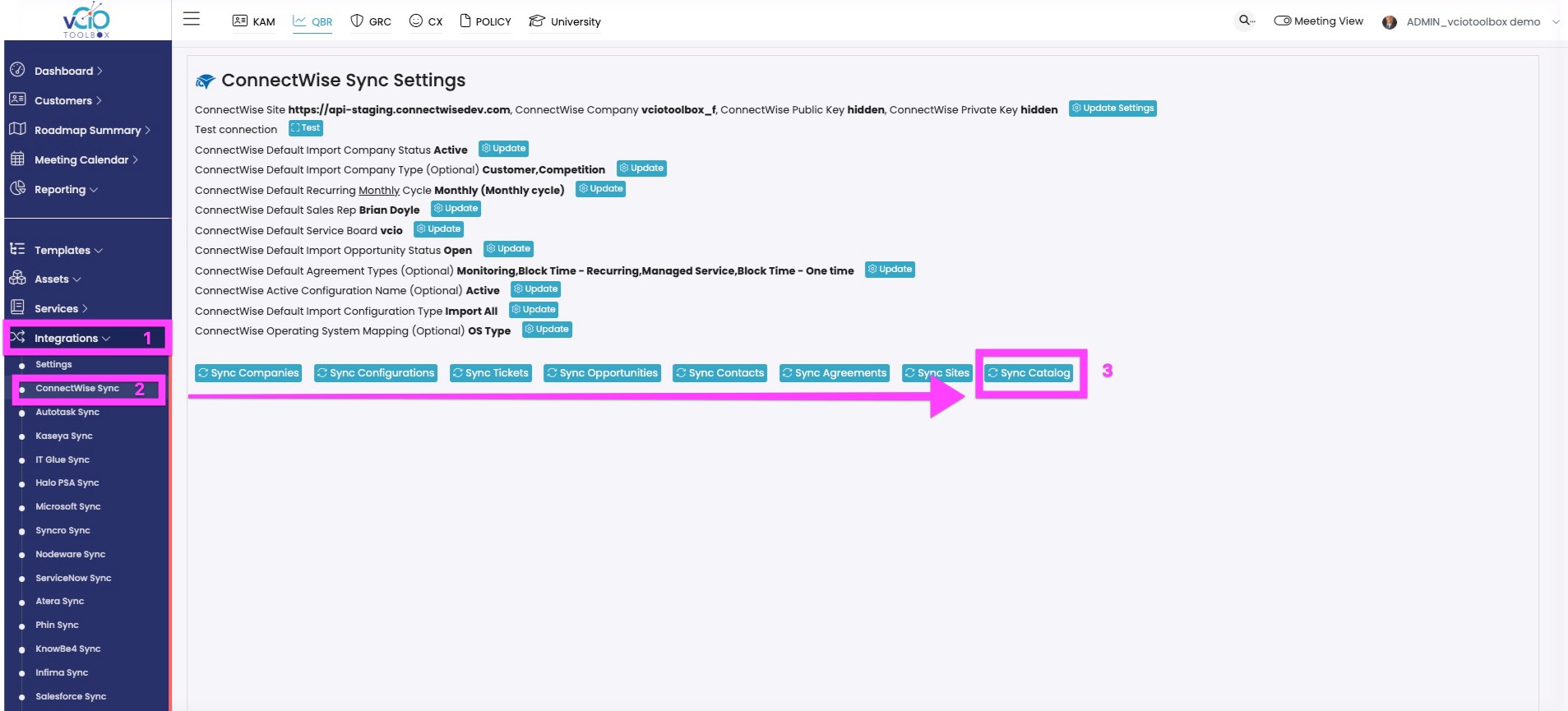
1. To import the catalog, you will need to visit your integration and navigate to Integrations > [PSA Sync] > Sync Catalog.
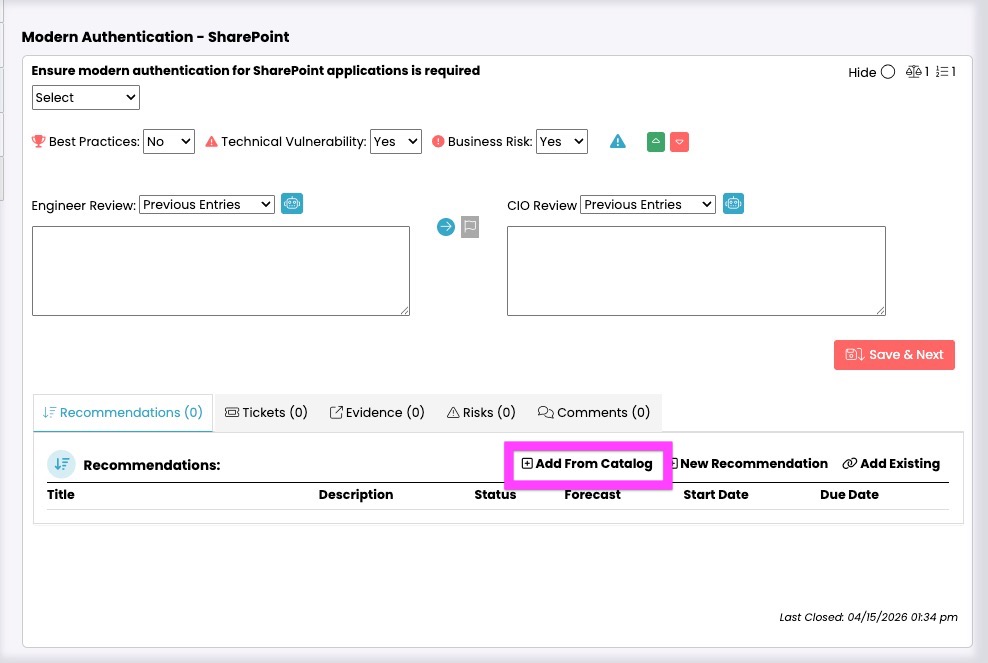
2. In the assessment, you can then select Add from Catalog.
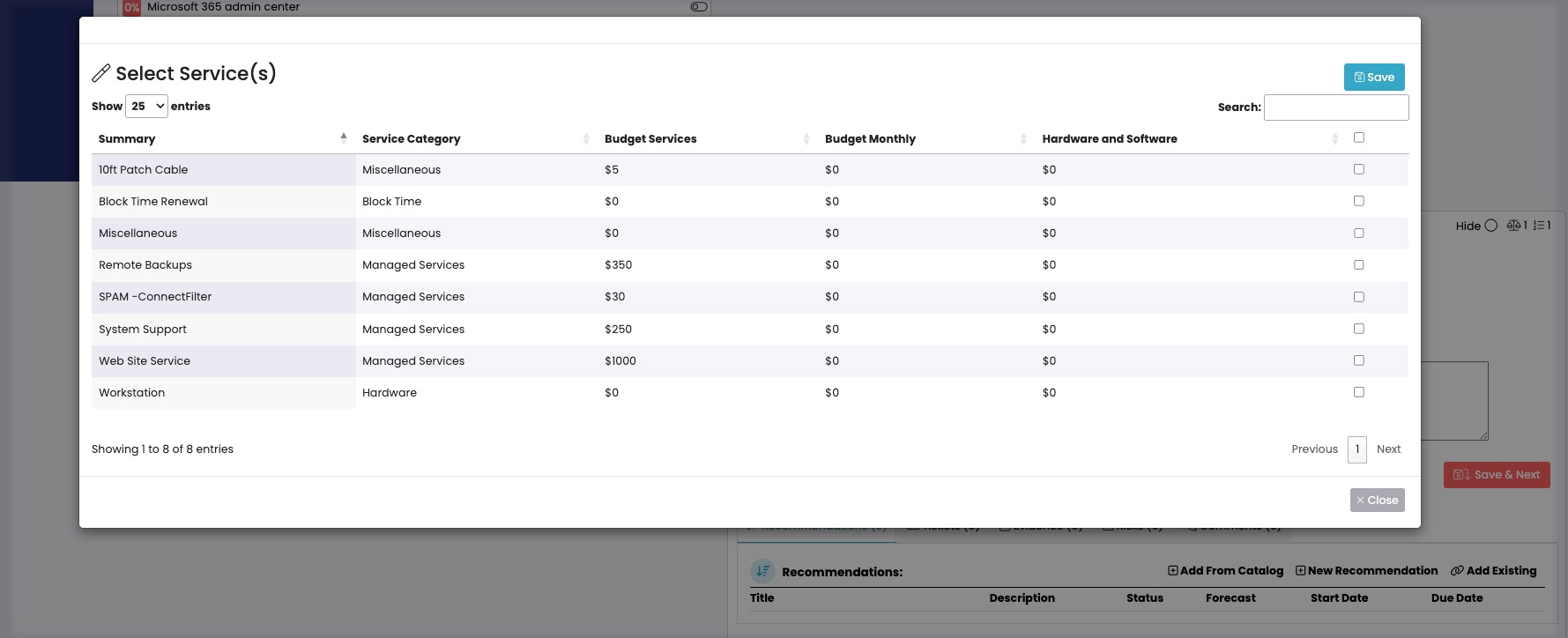
3. You can then search and select an item from the catalog.
If you have any additional questions, please reach out to support@vciotoolbox.com.