
vCIOToolbox is not responsible for misconfigured ChatGPT clients allowing data to be shared with the LLM. Review your configuration with your IT team before connecting ChatGPT.
1. Launch ChatGPT and choose Plugins from the left-hand menu.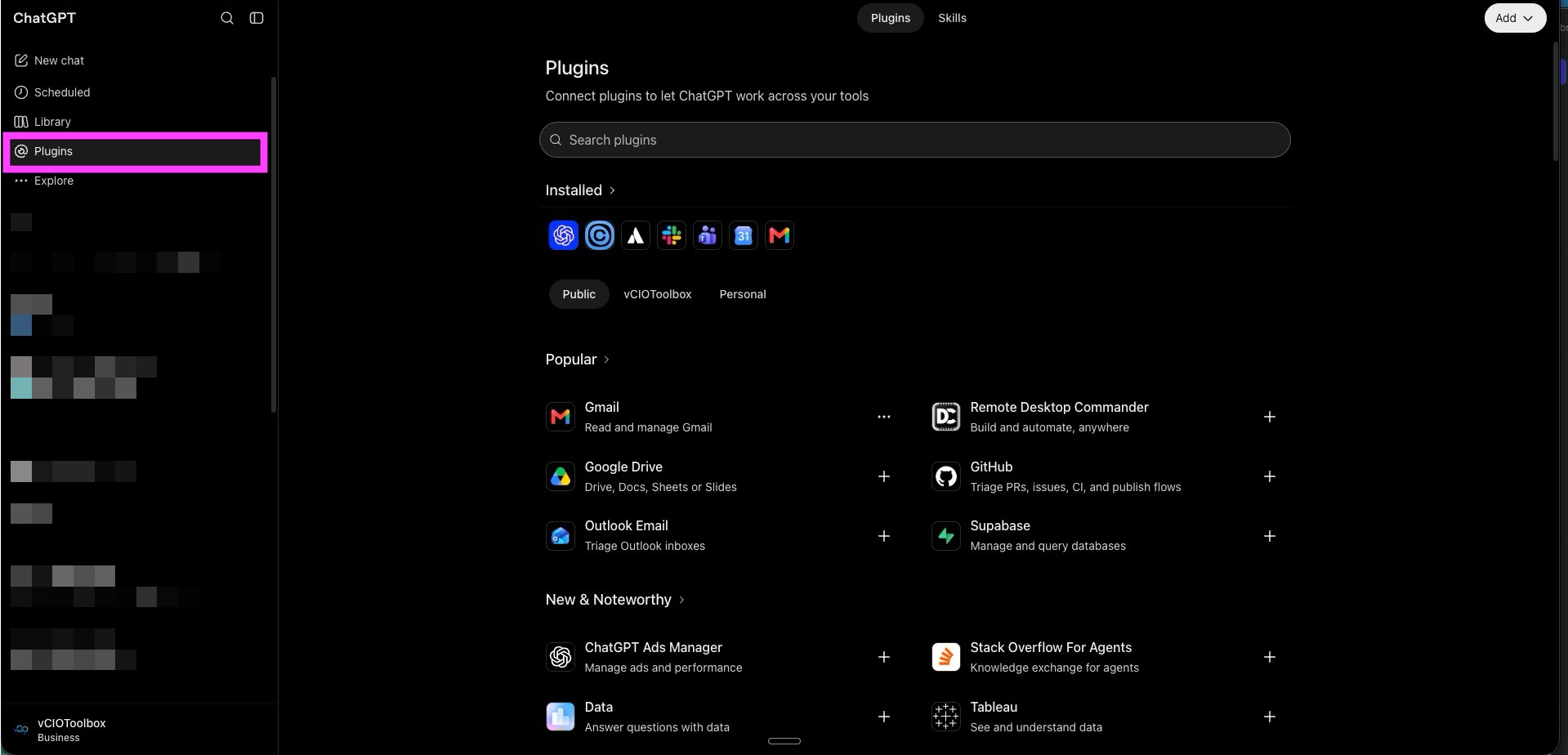
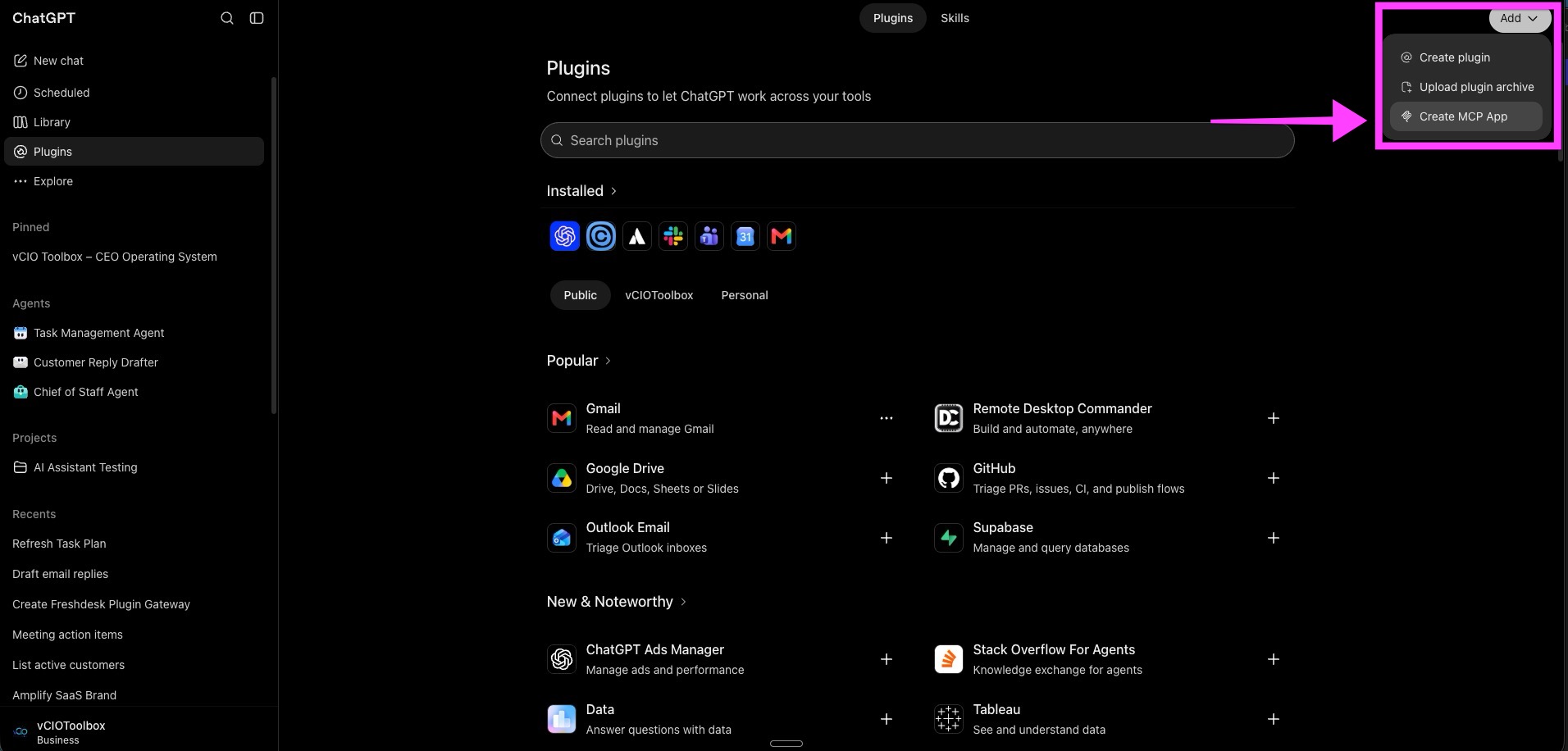
2. Click Add, then select Create MCP App.
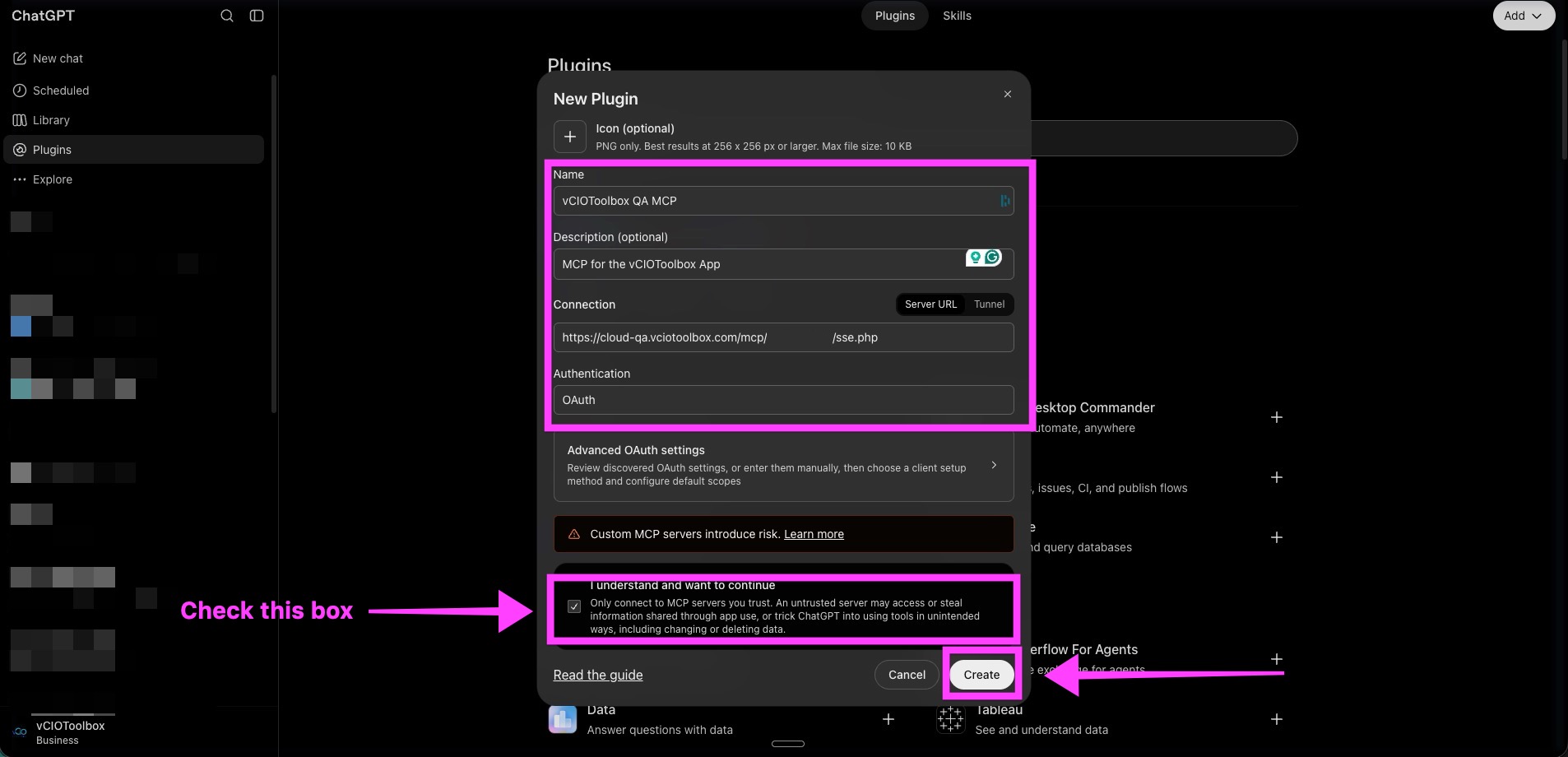
3. Fill in the MCP details
Name your MCP server.
Give it a description.
Add your unique MCP URL.
Choose OAuth.
4. Click Continue to [name] MCP.
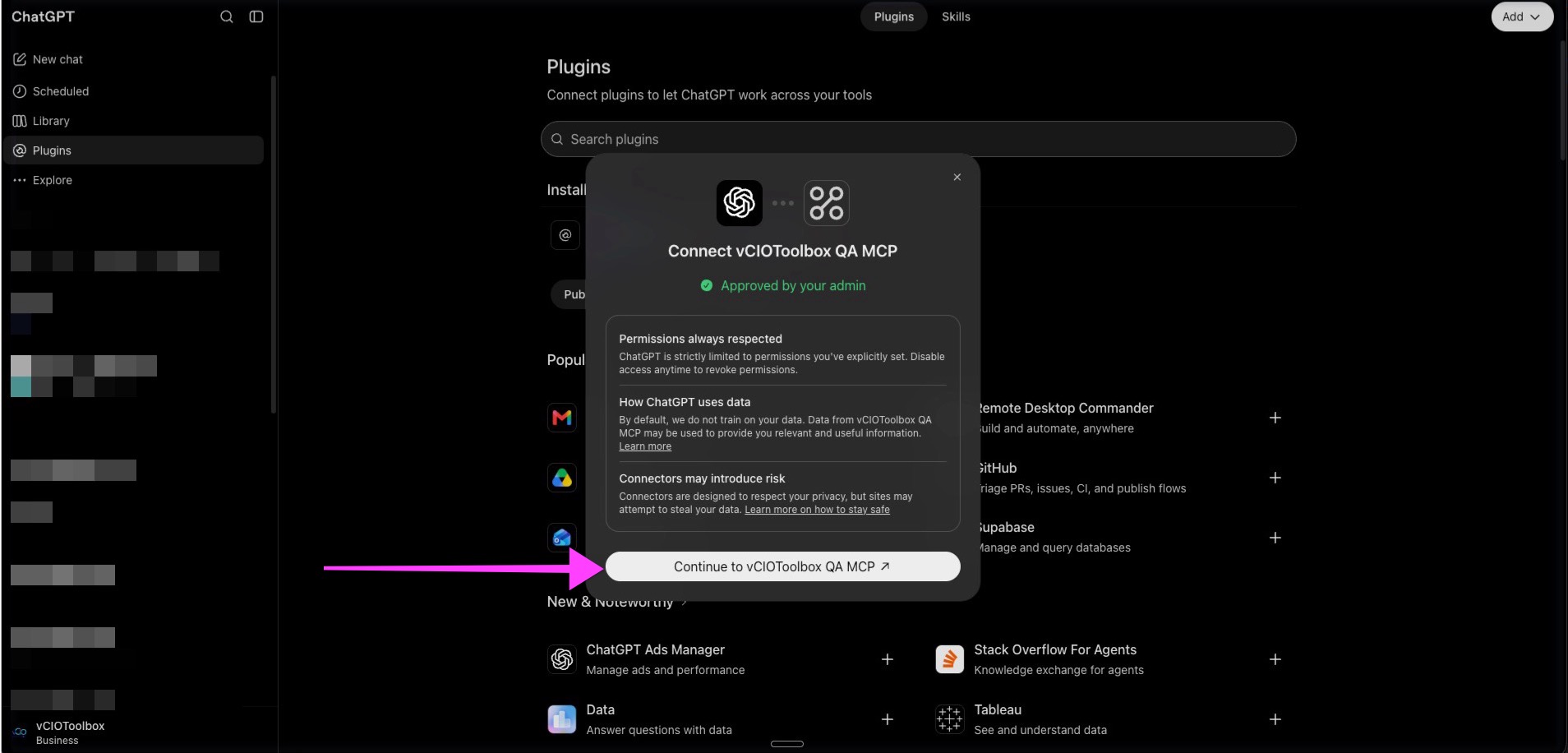
5. Authorize ChatGPT for use.

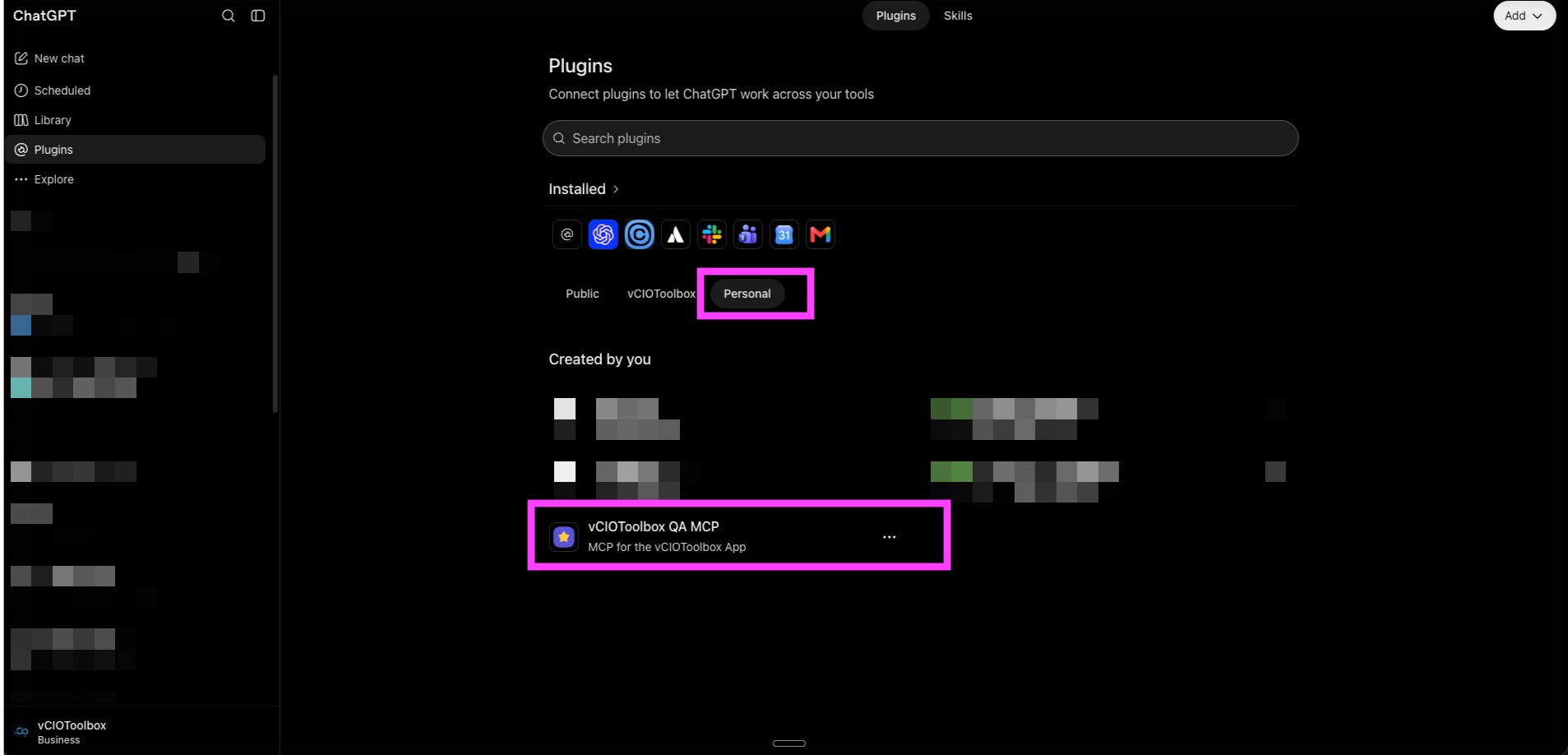
7. Navigate back to Plugins and view Personal. Under that tab you should see your MCP connection.
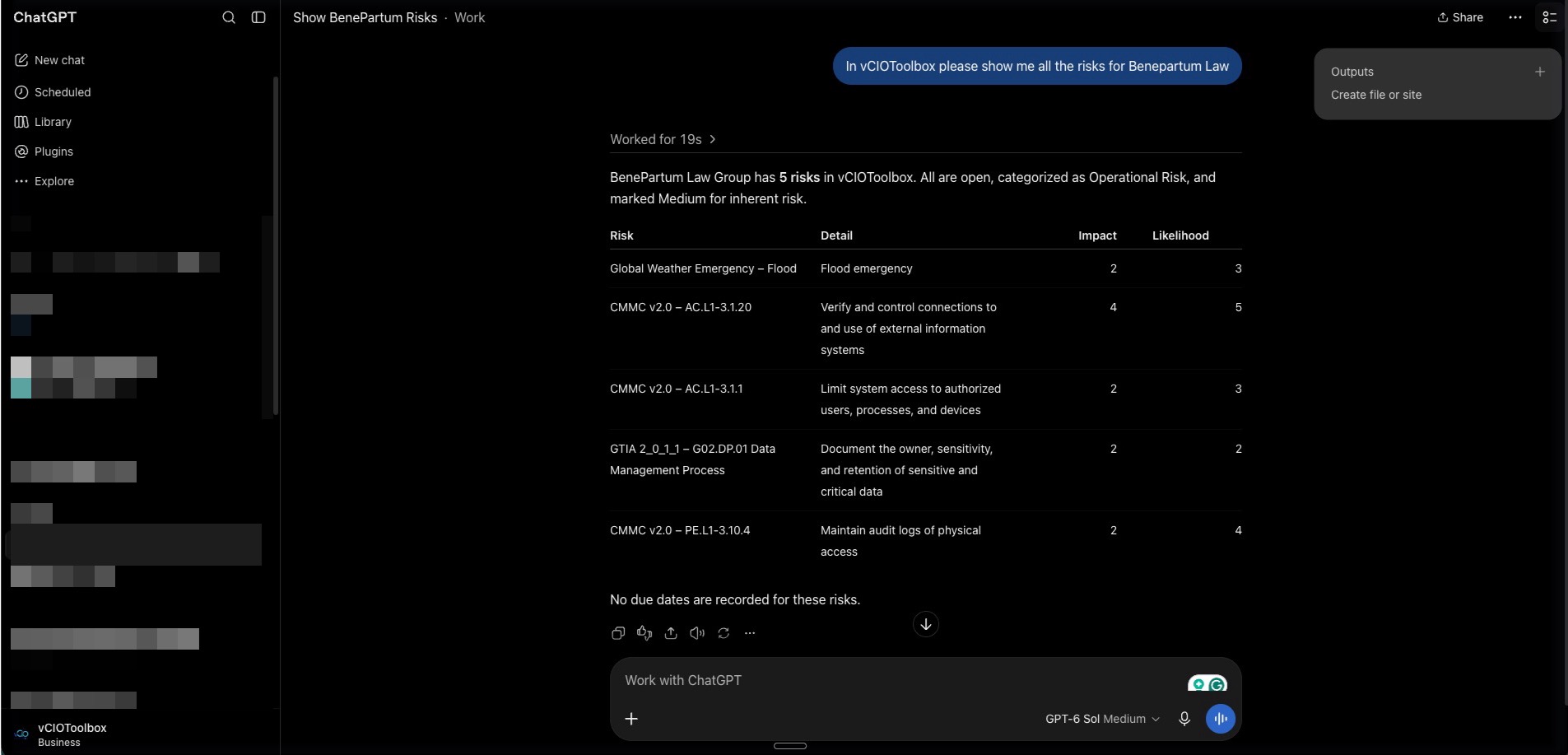
8. To test, start a new chat and then query vCIOToolbox for some information. Review and inspect the returned response
if you have any questions or need any assistance, please reach out to support@vciotoolbox.com or contact your partner development manager.