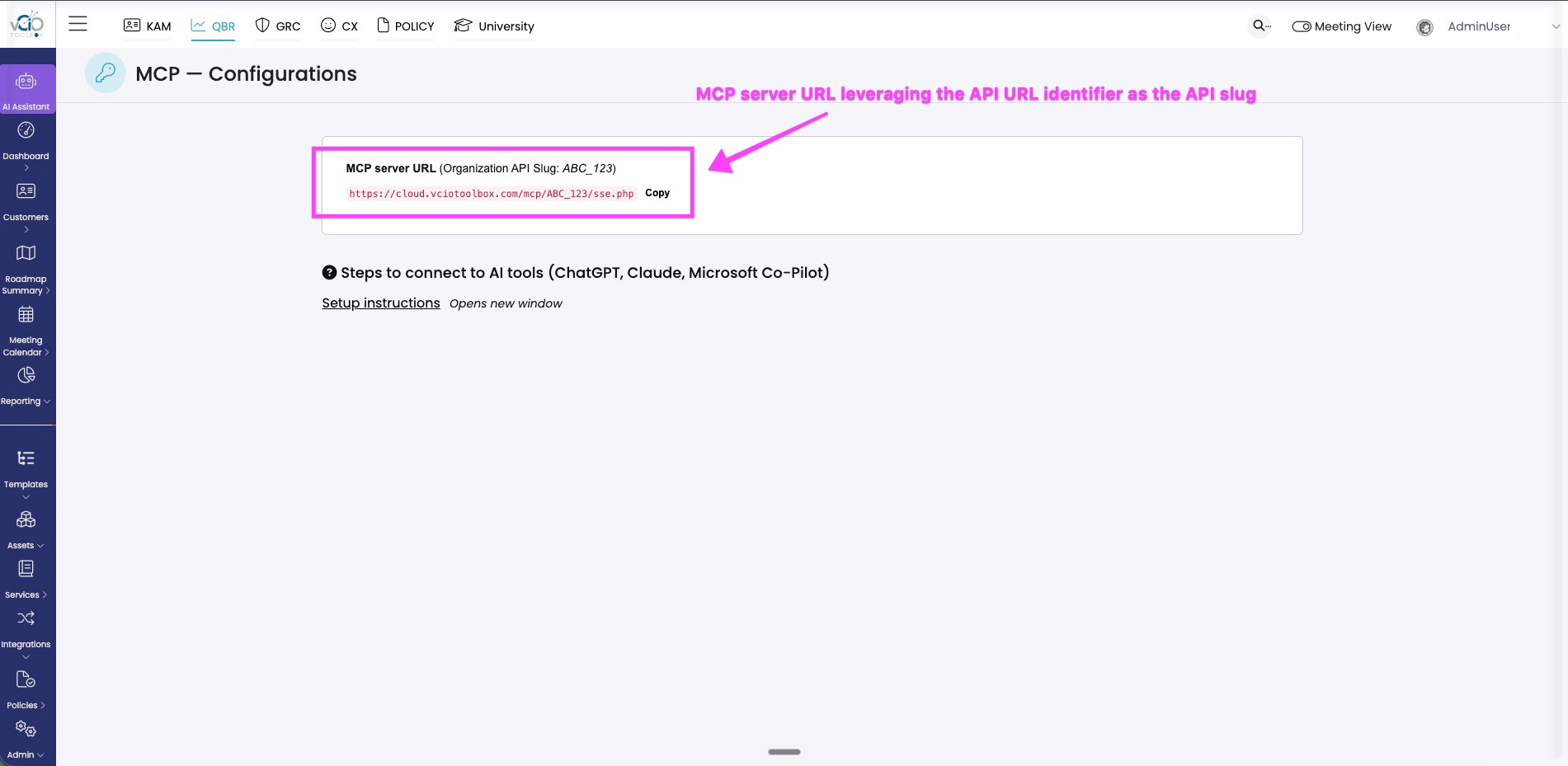
To connect to the MCP server, you need to create an API URL Identifier as your MCP slug. To do this, follow the steps below.
1. Navigate to your name in the upper right-hand corner of the application.
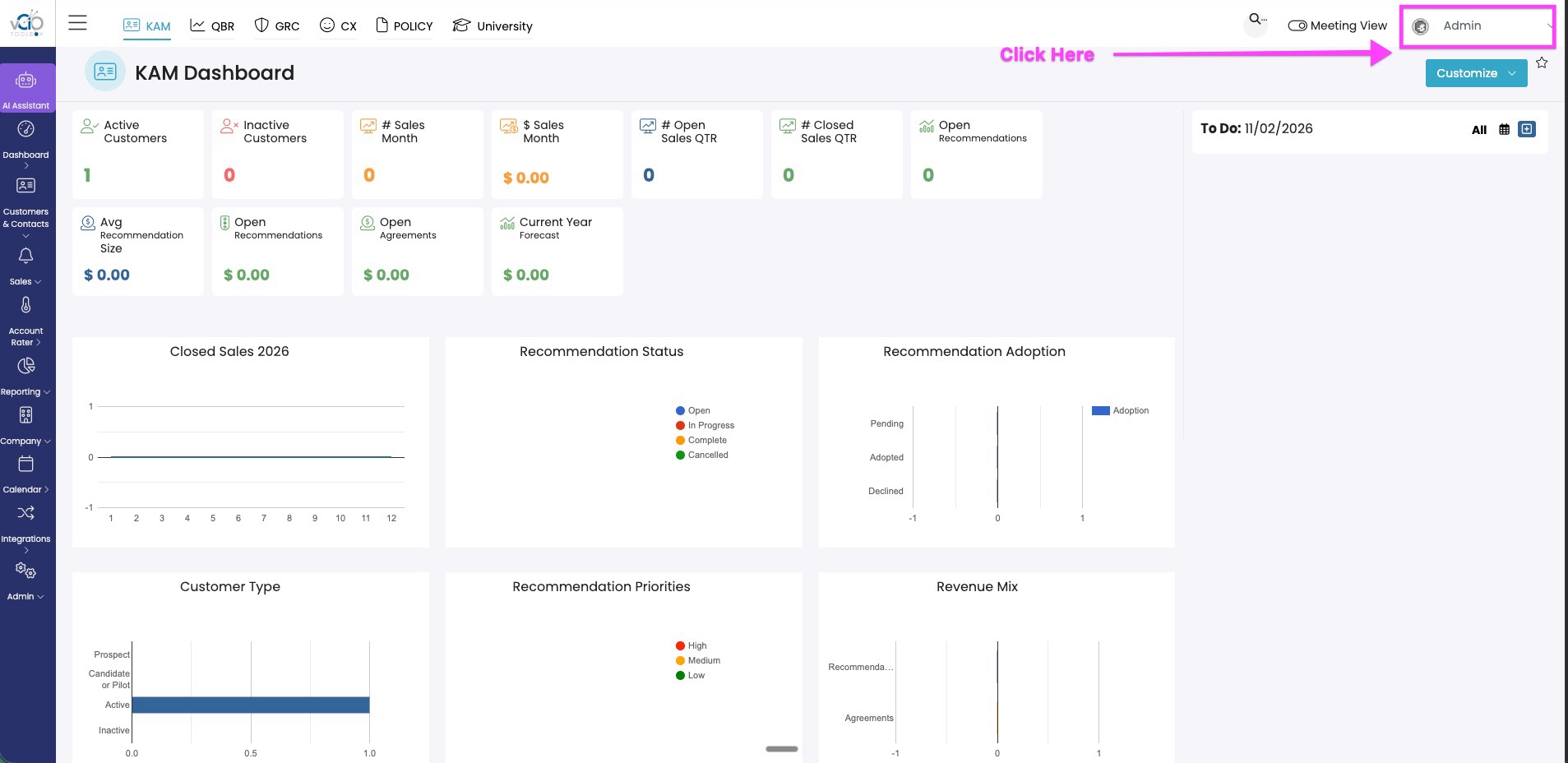
2. Choose "My Company" from the drop-down menu.
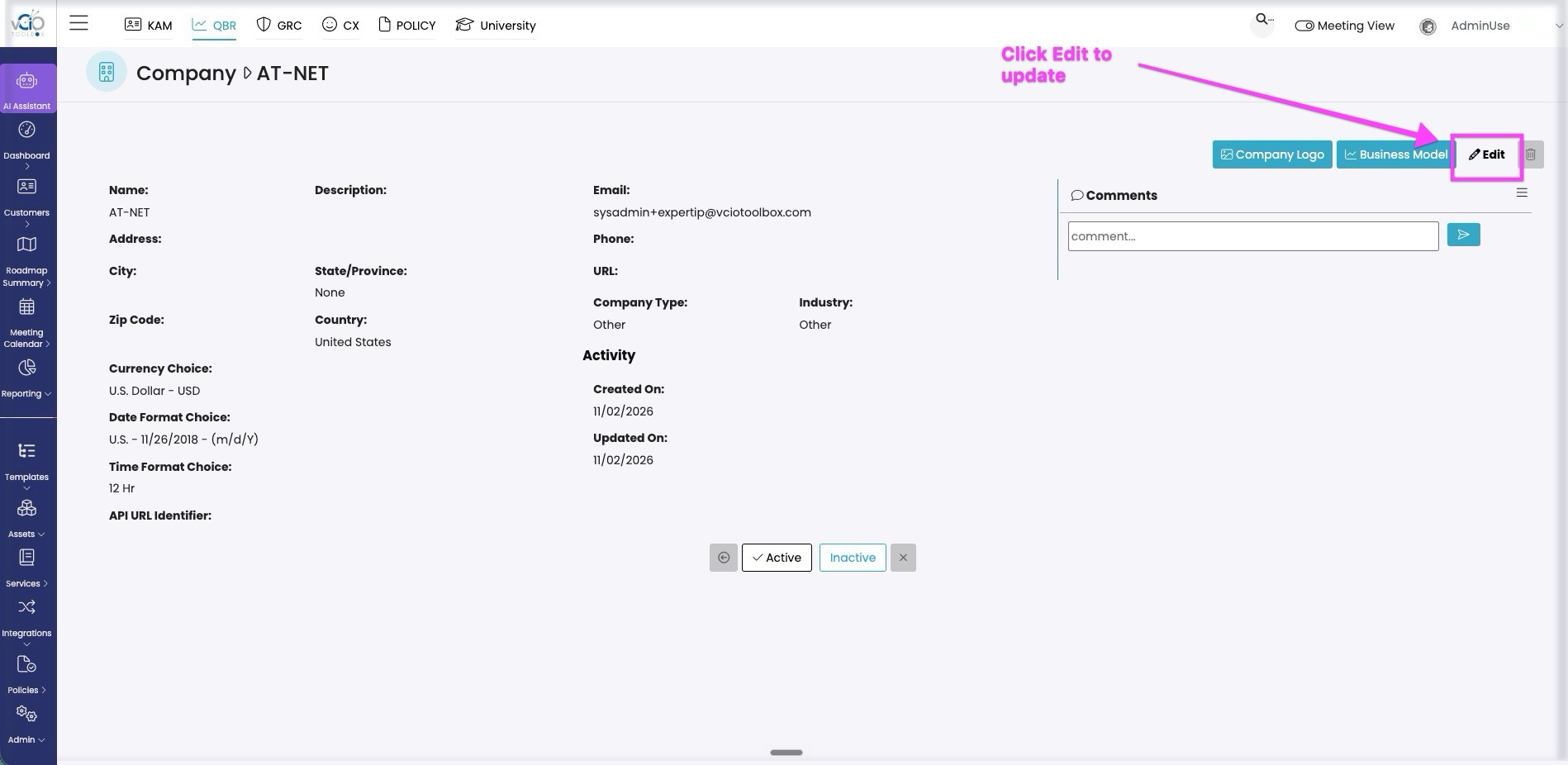
3. Click Edit to access the write page for your company profile.
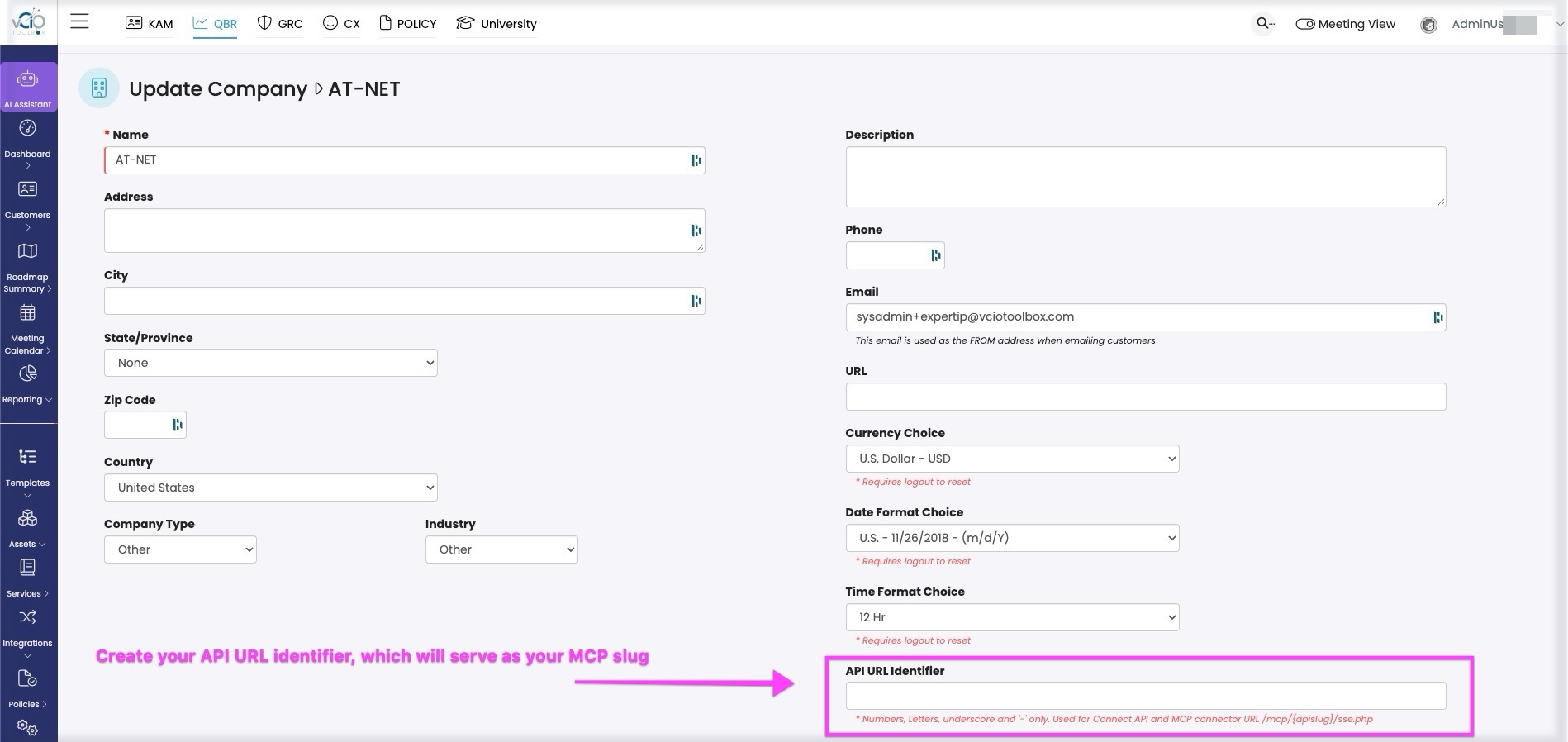
4. Create your API URL identifier, which will then serve as your MCP slug.
5. Navigate to MCP configuration to view your API slug.
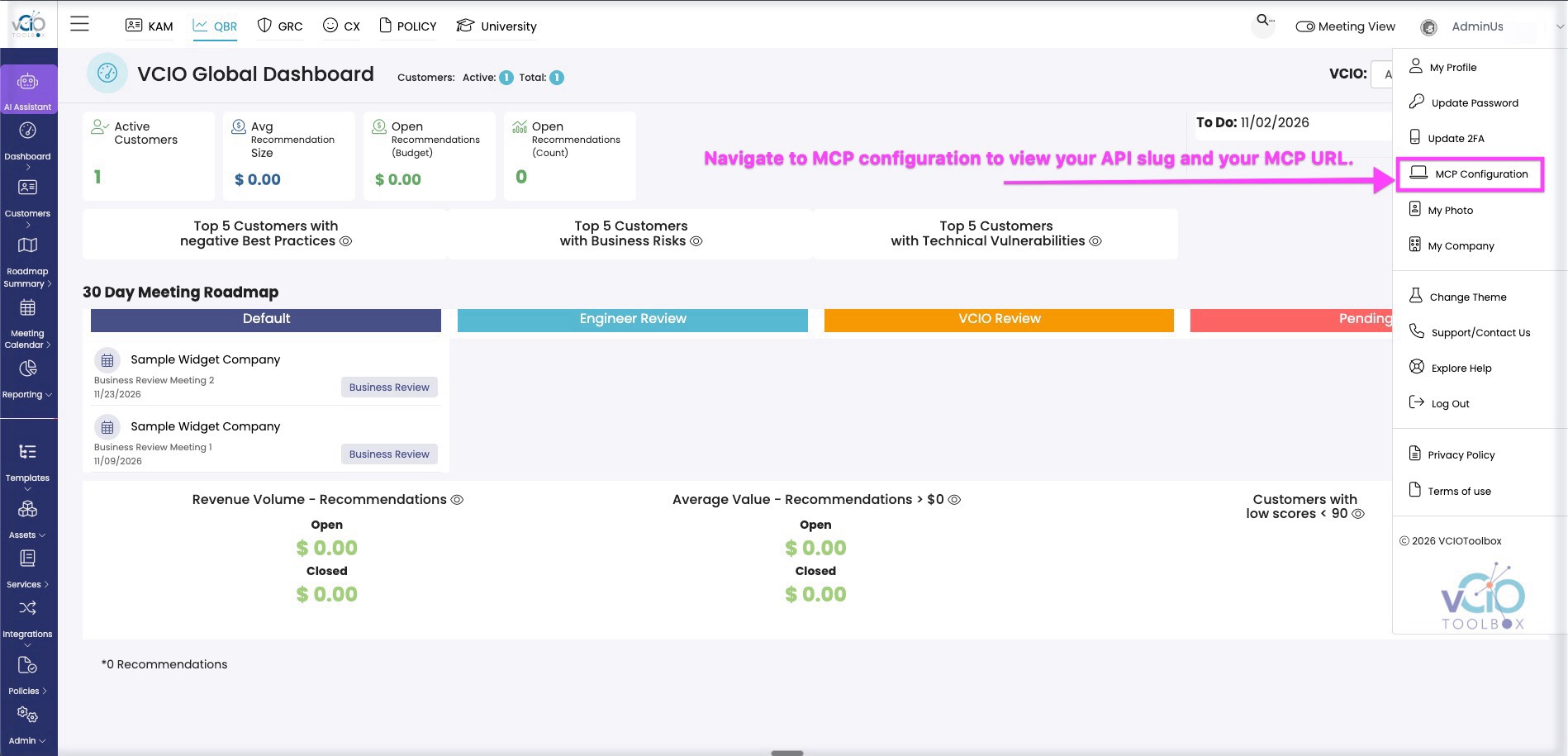
7. You will now see that the API slug is part of your MCP server URL.